
Is Boosting a Post Worth It? Boost vs Ads Manager
The boost button and Ads Manager spend the same money in the same auction — aimed at completely different outcomes. Here's the two-minute version of when each one is right.
For sales, leads or signups: no — boosting optimizes for engagement (likes, comments), which finds scrollers, not buyers. Use Ads Manager with a conversion objective and pixel optimization instead; same auction, same CPMs, radically better aim. Boosting IS worth it for exactly three jobs: stacking social proof on a post before running it as an ad, pure local awareness (e.g. a 5-mile radius announcement), and accelerating a new page's momentum. Rule of thumb: if the goal is applause, boost; if the goal is revenue, build the campaign.
What boosting actually does
The Boost button takes an organic post and pays to show it to more people, optimized — and this is the part that matters — for engagement: likes, comments, shares, video views. Meta's system delivers exactly what you ask for, so a boosted post finds the people most likely to react, not the people most likely to buy. Those are measurably different crowds. The engagement-happy audience skews toward passive scrollers; the buying audience is smaller, more expensive to reach, and only targetable through conversion optimization — which the boost button doesn't offer.
That single difference explains the classic small-business story: "I boosted posts for six months, got thousands of likes, and sold nothing." The tool did its job; it was just the wrong job.
Boost vs Ads Manager, side by side
The boost button is a simplified shortcut into the same auction — same money, a fraction of the controls.
Everything a boost does, Ads Manager also does — plus conversion optimization against your pixel, real audience construction, placement control, format testing, and honest reporting against cost per result rather than cost per like. The auction underneath is identical; you're paying the same CPM either way (see our current cost benchmarks). The difference is what the machine is aimed at.
When boosting IS worth it
Three legitimate uses. Social proof loading: boosting a post for engagement before running it as a proper ad stacks visible likes and comments on the creative — a real conversion asset. Local awareness: a restaurant announcing weekend hours to a 5-mile radius doesn't need pixel optimization; reach is genuinely the goal. Page momentum: new pages occasionally boost strong organic content to accelerate follower growth. Notice the pattern — in all three, engagement or reach genuinely is the objective. The moment the objective is sales, leads, or signups, the boost button is the wrong tool at any budget.
The verdict
If you spend more than a token amount on Meta, learn Ads Manager — or run on infrastructure where the full toolset is the default. The 20 minutes a campaign takes over a boost pays back on the first day it optimizes toward buyers instead of scrollers. And if you're scaling past casual spend entirely, the account itself becomes the next bottleneck — spending limits and trust ramps on standard accounts — which is where agency ad accounts come in.
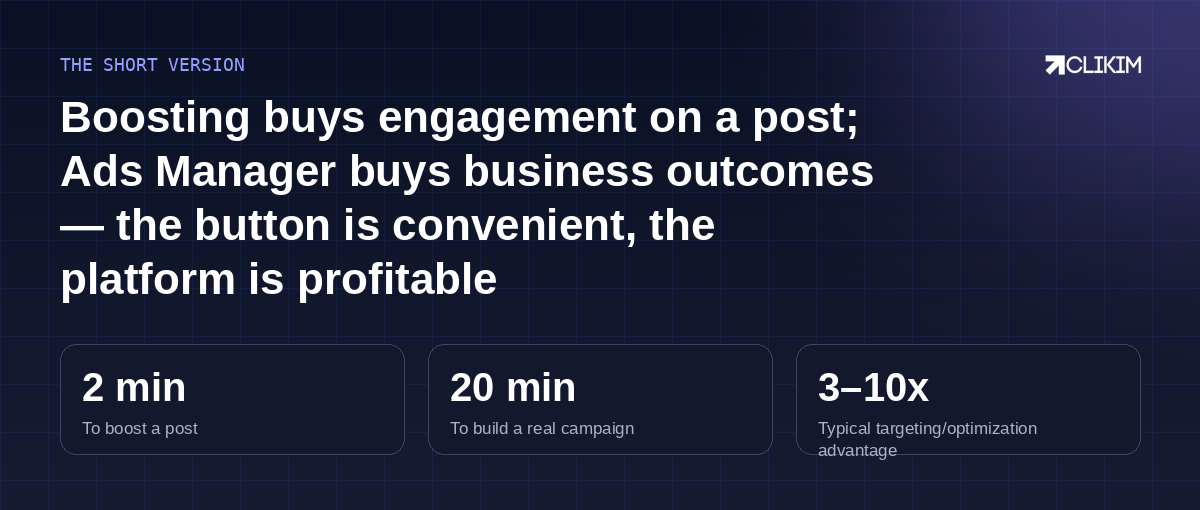
Same auction, same money — the boost button just aims it at applause instead of revenue.
Frequently asked questions
Why did my boosted post get likes but no sales?+
Is boosting cheaper than Ads Manager?+
How much should I spend on a boosted post?+
Can I boost a post and run ads at the same time?+
Do boosted posts help the algorithm favor my page?+
What objective should I use in Ads Manager instead?+
Do I need anything special to switch to Ads Manager?+
Running real budgets through a boost button?
Get the full toolset on infrastructure built for it — whitelisted infrastructure with no spend caps and replacement cover.