
Facebook Page Restricted From Advertising? Here's the Fix
A Page restriction is broader than a rejected ad — it stops the Page from advertising in any account it's connected to. Here's what it means, why it happens, the hidden role of user feedback and verification, and the exact steps to fix and appeal it.
“Page restricted from advertising” means the restriction is on your Page, not a single ad or account — so the Page can't run ads in any account it's connected to. Common causes are policy history, low Page quality, negative user feedback, unverified identity and risky associations. The fix is to read the exact reason in Account Quality, remediate the underlying cause (resolve violations, complete business verification, improve Page content), then submit one clear appeal stating what changed.
• A Page restriction means the Page itself can't run ads — broader than a single ad or account issue. • Because ads run through a Page, the restriction follows that Page across every ad account using it. • Common causes: policy history, low Page quality, negative user feedback, unverified identity, risky associations. • Fix the underlying cause first, then appeal with a clear statement of what changed. • Verify your business identity — unconfirmed identity is a frequent, fixable trigger. • Page-level trust, like account trust, is built slowly and broken quickly. • If a Page is permanently hobbled, a fresh high-trust setup beats fighting an unwinnable appeal.
What "Page restricted from advertising" means
This message means the restriction is at the level of your Facebook Page, not just a single ad or a single ad account. Because every Facebook ad runs through a Page, a Page that's restricted from advertising can't be used to run ads anywhere — in any ad account it's connected to. That's what makes it more serious than a one-off rejection: it's not one ad that's blocked, it's the Page as an advertising vehicle.
It's a confusing status because the Page often still works normally as a Page — you can post, people can visit — while its ability to advertise is switched off. Advertisers frequently discover it only when ads mysteriously won't deliver no matter which account they try. Understanding that the problem lives with the Page is the first step to fixing it, and this guide walks through why it happens and exactly what to do.
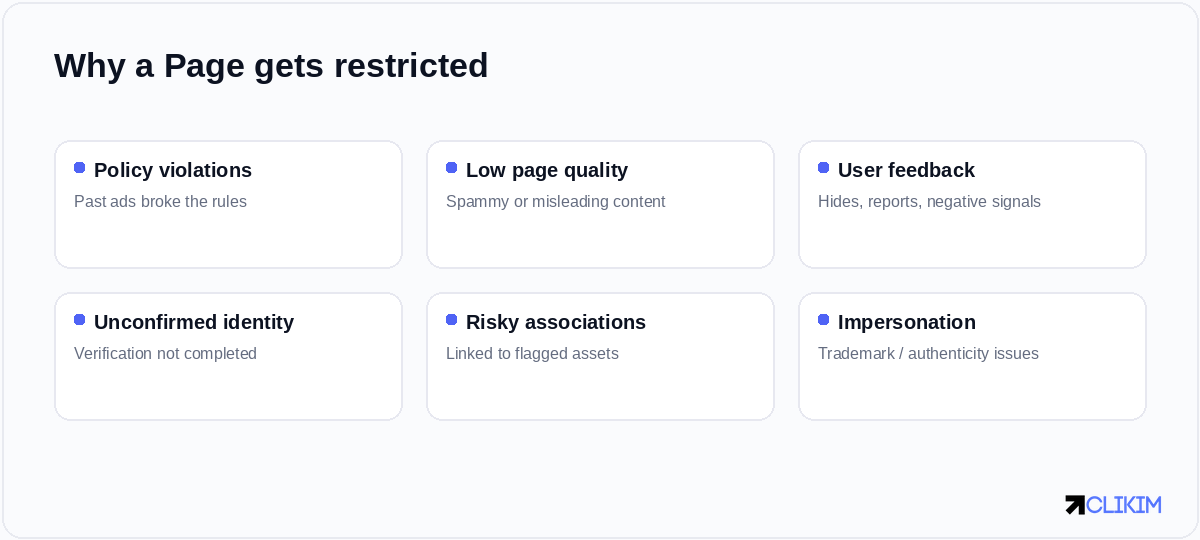
Page restrictions trace to a handful of causes — policy history, low quality, negative feedback or unverified identity.
How it differs from other restrictions
It's worth being precise about where a Page restriction sits relative to the other things that can go wrong, because the scope determines the fix.
A Page restriction is broader than an ad or account issue — it follows the Page across every account that runs it.
An ad rejection is local and trivial; an ad-account restriction stops one account; but a Page restriction travels with the Page, so swapping ad accounts won't help — the same restricted Page carries the problem with it. This is also why a Page issue can feel so much bigger than expected: it can take advertising offline across multiple accounts at once, as covered in our Account Quality guide.
Why Pages get restricted
Page restrictions are rarely a single dramatic event; they're usually the accumulation of signals over time.
Most Page restrictions are earned over time through signals — fixing them means fixing the underlying pattern, not just appealing.
A history of policy-violating ads, low-quality or misleading Page content, a pattern of negative user feedback (people hiding your ads or reporting them), unconfirmed business identity, or association with other flagged assets all feed Meta's judgement that the Page is risky. The restriction is the system's conclusion from those signals — which means the real fix is changing the underlying pattern, not just protesting the outcome.
The hidden role of user feedback
One cause deserves special attention because it surprises people: negative user feedback. When users hide your ads, click "why am I seeing this," or report them, Meta treats it as a quality signal against your Page. Enough of it — even without any explicit policy violation — can contribute to a restriction. You can be technically compliant and still get flagged because people don't like what they're seeing.
The fix here isn't an appeal; it's better advertising. Sharper targeting so your ads reach people who actually want them, and more relevant, less aggressive creative, reduce the negative feedback that erodes Page standing. In this sense, a restriction driven by feedback is the platform telling you your ads are annoying the wrong audiences — and tightening relevance is both the remedy and a performance win.
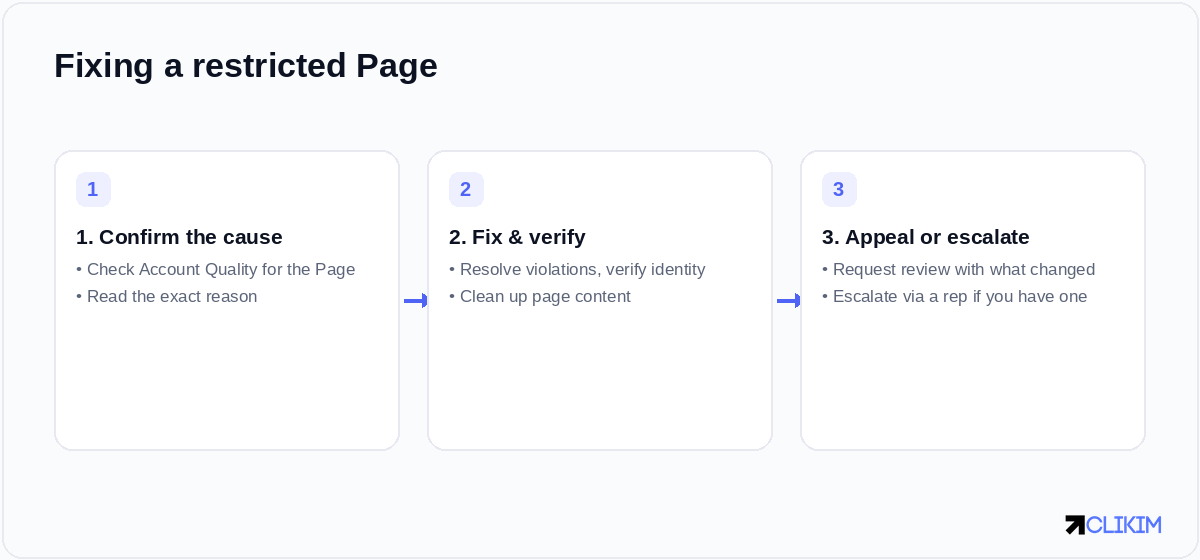
Fixing a restricted Page is a sequence: confirm the cause, remediate and verify, then appeal with what changed.
Verify your business identity
A common and very fixable trigger is unconfirmed identity. Meta increasingly expects businesses running ads to complete business verification — confirming the legal entity behind the Page and ad account. An unverified or partially verified business can find its Page restricted simply for failing to establish who it is, and completing verification often resolves or prevents the issue.
If your Page is restricted and you haven't completed business verification, do that first; it's one of the few causes with a clear, official remediation path. Even when it isn't the direct cause, being verified strengthens your standing and makes appeals more credible, because Meta is dealing with a confirmed, accountable business rather than an anonymous one.
How to fix a restricted Page, step by step
The remediation process mirrors any Meta enforcement, applied at the Page level.
Work the steps in order — appealing before you've fixed the cause is the most common reason appeals fail.
Open Account Quality and find the Page to read the precise reason; remediate the actual cause (remove violating content, complete verification, improve Page quality); then submit one clear appeal explaining what was wrong and what you changed. Don't appeal first and fix later — reviewers check whether the underlying problem is resolved, so an appeal on an unchanged Page almost always fails.
Making the appeal count
When you appeal, be specific and calm. State plainly what the issue was, what you've changed to resolve it, and why the Page now meets policy. Avoid the two losing approaches: protesting total innocence without addressing the cause, and spamming multiple appeals, which clutters the queue and can work against you. One clear, honest appeal after genuine remediation is the strongest play.
Set expectations on timing, too — reviews can take anywhere from hours to weeks depending on the issue and your standing. Resist making further changes mid-review, which can muddy the decision. If you have a dedicated Meta representative (as you would through an agency relationship), they can often escalate and clarify far faster than the self-serve appeal queue.
Preventing future Page restrictions
Once you're back, protect the Page. Advertise comfortably inside policy rather than at the edges, keep Page content honest and tidy, target well enough that you're not generating waves of negative feedback, complete and maintain business verification, and avoid linking your Page to flagged or risky assets. Page standing, like account trust, is an asset you accumulate — guard it.
It's also wise not to put all your eggs in one Page when running serious spend, so a single restriction can't take your whole operation offline. Sensible separation of assets within Business Manager limits the blast radius if any one Page runs into trouble — a small bit of structure that pays off the day something goes wrong.
Roles, access and who can actually fix it
A practical snag many advertisers hit: you can only remediate and appeal a Page restriction if you hold the right admin access to the Page and its Business Manager. If the Page was set up under someone else's personal profile, or access is tangled across freelancers and old agencies, you may find you literally can't open the right appeal flow or complete verification — which stalls the fix before it starts.
Before anything else, confirm you have full admin control of the Page within a Business Manager you own. Consolidating ownership — getting the Page properly into your own BM with you as admin — is often the unglamorous prerequisite that makes every other step possible. It also prevents a future scenario where a departed contractor's access becomes the single point of failure for your entire advertising operation.
When a Page can't be recovered
Sometimes a Page is too damaged to recover — repeated violations, a permanent restriction, or an appeal process that simply goes nowhere. Pouring weeks into an unwinnable appeal is a sunk cost; at some point the rational move is to stop fighting a hobbled Page and rebuild on a clean, well-verified foundation instead. Knowing when to walk away is part of managing this well.
That doesn't mean repeating the same setup and hoping for a different result. It means rebuilding properly: a clean, verified Page, compliant advertising from day one, and ideally an account environment that starts from trust rather than fragility — so you're not back in the same position in a month.
The higher-trust path
This is where a high-trust agency ad account setup helps most. Running through an established, whitelisted relationship with Meta — with proper business verification and a dedicated rep — gives your advertising the stability and standing that a fragile self-serve Page-and-account combination struggles to maintain, and a fast escalation path if an issue ever does arise.
It doesn't put you above the rules; you still advertise within policy. But it removes much of the structural fragility that lands Pages in the restriction-appeal loop in the first place, and pairs you with someone who can resolve problems quickly instead of leaving you alone with the self-serve queue. For a business that's lost advertising to a Page restriction, starting from trust is the durable fix. (For the broader picture of how Meta flags assets, see Account Quality explained.)
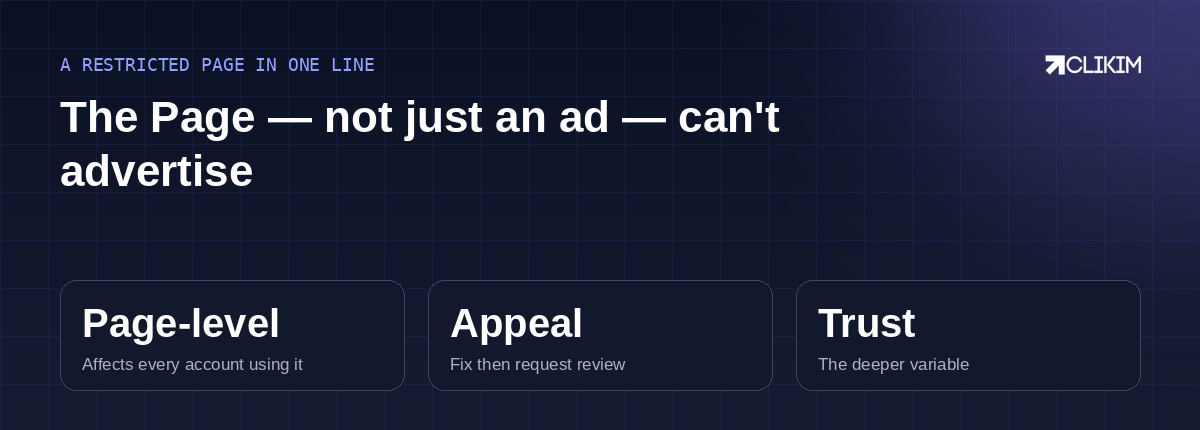
A Page restriction follows the Page everywhere — fix the cause, appeal once, and rebuild on trust if it can't recover.
Frequently asked questions
What does 'Page restricted from advertising' mean?+
How is a Page restriction different from an account restriction?+
Why is my Facebook Page restricted from advertising?+
Can negative feedback get my Page restricted?+
Does business verification fix a restricted Page?+
How do I fix a Page restricted from advertising?+
How do I appeal a Page restriction effectively?+
Can I just use a different Page to run ads?+
How long does a Page restriction appeal take?+
How do I prevent Page restrictions in future?+
What if my Page can't be recovered?+
Does an agency account help with Page restrictions?+
Lost advertising to a Page restriction?
Rebuild on verified, high-trust managed infrastructure with a dedicated rep who can escalate issues fast — instead of fighting the self-serve appeal queue alone. Operated on BM2500 infrastructure.