
Facebook Account Quality, Explained
Account Quality is Meta's health dashboard for your ad accounts, Pages and Business Manager — and most advertisers only find it in a panic. Here's what each status means, how restrictions cascade, why accounts get flagged, how trust works, and how to appeal effectively.
Account Quality is Meta's dashboard showing the health and status of your ad accounts, Pages and Business Manager — what's been flagged, why, and how to appeal. Statuses run from Active to restricted to disabled, and problems cascade upward: a Page or BM issue can block advertising across every attached account. Restrictions trace to policy violations, payment issues or risky behaviour. Appeals work best when you fix the cause first; the durable fix for chronic instability is a higher-trust account.
• Account Quality is Meta's dashboard showing the health and status of your ad accounts, Pages and Business Manager. • It tells you what was flagged and why — ad rejections, restrictions, disables — and how to appeal. • Problems cascade upward: a Page or BM issue can block advertising across every account attached. • Restrictions usually trace to policy violations, payment issues, or sudden risky behaviour. • Appeals work best when you fix the cause first, then explain calmly what changed. • Account trust is an asset built over time — and fragile to break with risky moves. • The most durable fix for chronic instability is a higher-trust account, not endless appeals.
What Account Quality is
Account Quality is the dashboard inside Meta's Business tools that shows the health and standing of your advertising assets — your ad accounts, Pages and Business Manager. It's where Facebook tells you, in plainer language than the rest of the platform manages, whether everything is fine, what's been flagged, why, and what you can do about it. If your ads stop delivering or an account goes quiet, Account Quality is the first place to look.
Most advertisers only discover it in a panic, after something breaks. But understanding it before trouble hits is far better: it lets you read the warning signs, understand how restrictions cascade, and respond calmly instead of flailing. This guide walks through what each status means, how problems escalate across your assets, how appeals actually work, and why some accounts seem to attract restrictions while others run for years untouched.
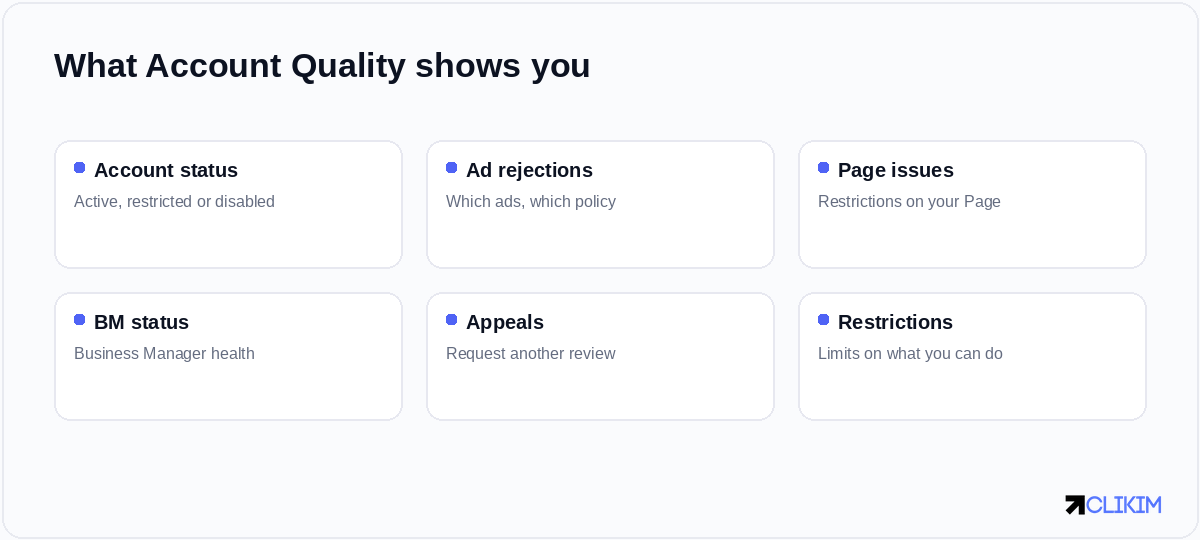
Account Quality surfaces status, rejections, Page issues and your appeal options in one dashboard.
Where to find it
Account Quality lives in the Business Help / Account Quality section of your Meta Business tools, accessible from Business Manager. It aggregates the status of every asset you manage — each ad account, each Page, the Business Manager itself — so you can see at a glance which are healthy and which need attention. For anyone managing multiple assets, it's the single pane of glass for account health.
Get in the habit of checking it periodically, not just in emergencies. A restriction that's been quietly limiting delivery, or a Page issue you didn't notice, can be suppressing your results without an obvious alarm. Treating Account Quality as a routine health check rather than an emergency room turns nasty surprises into manageable maintenance.
The statuses and what they mean
The core of Account Quality is status. Each asset sits in one of a handful of states, and knowing what each means tells you how worried to be and what to do next.
Account Quality translates Meta's actions into plain statuses — read the exact reason before reacting.
The crucial discipline is to read the specific reason attached to a status before you react. "Restricted" or "disabled" feels like a wall, but Account Quality usually names the policy or issue behind it — and the right response to a payment problem is entirely different from the response to a prohibited-content violation. Diagnosis precedes the fix; reacting blindly often makes things worse.
How problems cascade across assets
One of the most important and least understood things about Account Quality is that problems don't stay put — they escalate up the hierarchy of your assets.
Problems cascade upward — a Page restriction can disable advertising across every account attached to it.
An individual ad rejection is minor and local. But repeated violations can restrict the ad account; a Page restriction can block advertising wherever that Page is used; and a Business Manager flag can ripple across every asset inside it. This cascade is why a seemingly small issue can suddenly take down far more than you expected — and why keeping every level clean matters, not just your ads.
Why accounts get restricted
Restrictions aren't random, even when they feel that way. The common causes are policy violations (prohibited content, misleading claims, restricted categories), payment problems (failed charges, suspicious billing), sudden behavioural changes (a brand-new account spending aggressively, abrupt scaling, logins from new locations), and association (links to other flagged accounts or Pages).
Meta's systems are heavily automated and risk-averse, so they flag patterns that look risky even when intent is innocent. A legitimate business can trip a filter simply by behaving in a way the system associates with bad actors — which is why understanding what looks risky is as useful as following the written rules. Much of account stability is about not setting off automated alarms in the first place.
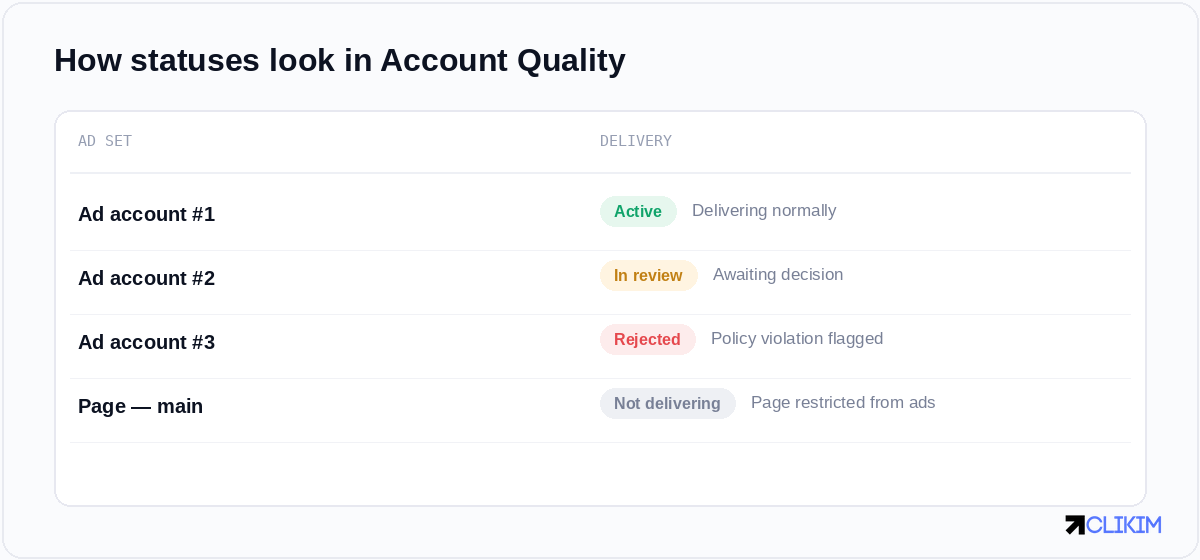
In Account Quality, each asset shows a status — and a rejection or restriction names the policy behind it.
Account trust: the invisible variable
Behind every status is an invisible trust score Meta assigns your account based on its history, age, payment record, spending pattern and associations. High-trust accounts get more latitude — higher spend caps, faster reviews, fewer knee-jerk restrictions. Low-trust accounts get the opposite: tight caps, hair-trigger flags, slow or unhelpful appeals. Two businesses doing the same thing can have wildly different experiences purely because of trust.
Trust is built slowly — through consistent policy compliance, reliable payments, and steady, sensible behaviour over time — and it can be damaged quickly by violations or risky moves. This asymmetry is why protecting a good account matters so much, and why a brand-new account is fragile by default: it simply hasn't earned the trust that buys it patience from Meta's systems.
How to appeal effectively
When something is restricted or disabled, Account Quality is also where you appeal — and how you appeal matters.
Appeals work best when you fix the underlying issue first and explain it calmly — not when you protest innocence.
The pattern that works: read the exact reason, actually fix the underlying cause (remove the violating content, resolve the payment issue), then submit a clear, calm appeal stating what was wrong and what you changed. The pattern that fails: re-submitting unchanged, firing off multiple angry appeals, or protesting innocence without addressing the cause. Appeals are reviewed for whether the problem is resolved, not for how strongly you feel about it.
Preventing problems before they start
Prevention beats appeals every time. Keep your ads comfortably inside policy rather than at the edges; warm up new accounts gradually instead of spending aggressively on day one; scale in steady steps rather than violent jumps; keep payment methods clean and consistent; and avoid associating good assets with flagged ones. Most restrictions are avoidable patterns, not bad luck.
It also helps to keep your assets organised and separated sensibly within Business Manager, so a problem in one place doesn't automatically contaminate everything. The advertisers who almost never see restrictions aren't lucky — they've internalised what looks risky to Meta's systems and simply don't do it, which keeps their trust intact and their accounts boring (in the best way).
When the account itself is the problem
Sometimes you can do everything right and still fight constant restrictions — because the account itself is low-trust, capped and fragile. New accounts in particular are throttled near a $250/day cap and quick to be flagged, regardless of how cleanly you operate. No amount of careful behaviour instantly converts a fresh, untrusted account into a stable one; trust takes time the platform won't let you skip.
This is the structural limit of self-help. You can read Account Quality perfectly, appeal flawlessly and follow every rule, and still be held back by an account that simply hasn't earned Meta's confidence. When chronic instability is throttling a real business, the durable answer isn't another appeal — it's running on an account that starts from a position of trust.
Reading ad rejection reasons
The most frequent Account Quality interaction is the humble ad rejection, and learning to read it saves enormous frustration. Each rejected ad names the policy it allegedly breached — personal attributes, prohibited content, misleading claims, restricted categories and so on. The reason is often broader or more literal than you'd expect: an ad can be rejected for implied personal attributes ("are you struggling with debt?") even when the product is perfectly legitimate, because the wording trips a specific rule.
When you get a rejection, resist the instinct to immediately re-submit or assume a glitch. Read the cited policy, look at your ad through that lens, and adjust the specific element that likely triggered it — usually copy or imagery — before requesting another review. Most rejections are fixable with a small wording or creative change once you understand which rule you brushed against, and a pattern of clean, compliant ads protects the account-level trust that everything else depends on.
What Account Quality won't tell you
For all its usefulness, Account Quality has real blind spots. It rarely explains the full reason behind a restriction, often giving a generic policy reference rather than the precise trigger, and it won't reveal your underlying trust score or how close you are to a threshold. It's a status board, not a diagnosis engine — it tells you that something is wrong more reliably than exactly why.
That opacity is deliberate; Meta doesn't want bad actors reverse-engineering its enforcement. The practical consequence is that you sometimes have to infer the cause from context — what changed recently, what you were running, how the account behaved — rather than expecting the dashboard to spell it out. Treat Account Quality as the starting point of an investigation, not the final word, and pair it with your own knowledge of what you did before the flag appeared.
The high-trust alternative
This is exactly the gap a high-trust agency ad account fills. Because these accounts run through an established, whitelisted business relationship with Meta, they start with the trust, headroom and stability that a brand-new self-serve account has to earn over months — no $250 cap, far fewer knee-jerk restrictions, and a dedicated rep to resolve issues quickly when they do arise.
It doesn't make policy irrelevant — you still have to advertise within the rules — but it removes the structural fragility that keeps so many advertisers stuck in an appeal-restriction loop. For a business that's tired of watching Account Quality for the next red flag, starting from trust rather than fighting for it is the real fix. (If your Page specifically is the issue, start with a Page restricted from advertising.)
Account Quality reflects trust you build slowly and can break fast — starting from a high-trust account skips the fight.
Frequently asked questions
What is Facebook Account Quality?+
Where do I find Account Quality?+
What do the Account Quality statuses mean?+
Why was my ad account restricted?+
How do restrictions cascade across my assets?+
What is account trust on Facebook?+
How do I appeal a Facebook restriction?+
How long do appeals take?+
How can I prevent account restrictions?+
Why do I keep getting restricted even when I follow the rules?+
Does a higher-trust account really help?+
Is Account Quality the same as the policy rules?+
Tired of watching for the next red flag?
Stop fighting the restriction-appeal loop. Run on high-trust managed infrastructure that starts with stability, no $250 cap, and a dedicated rep. Operated on BM2500 infrastructure.