
Facebook Ads Not Spending? 9 Reasons & How to Fix It
Budget set, campaign live — and hours later spend is still €0, or it trickled and stalled. Nearly always it's one of nine causes, from “working as intended” to “your account is restricted.” Here's how to diagnose it in minutes and the exact fix for each.
Facebook ads usually aren't spending because the campaign is still in the learning phase, the audience is too narrow, the bid or budget cap is too low, a billing or payment issue is blocking delivery, the ad is still in review or was rejected, the schedule hasn't started, or the ad account is restricted or capped. Open Ads Manager and read the Delivery column first — it names the exact blocker.
First, diagnose it in 60 seconds
Before you touch a single budget or bid, let Ads Manager do the diagnosis for you. Nine times out of ten the answer is already on screen. Open the campaign and read the Delivery column at all three levels — campaign, ad set and ad. The status word it shows is the whole game, because each one points at a different cause and a different fix. Edit things blindly and you'll reset learning or mask the real problem; read the label first and you're usually done in a minute.
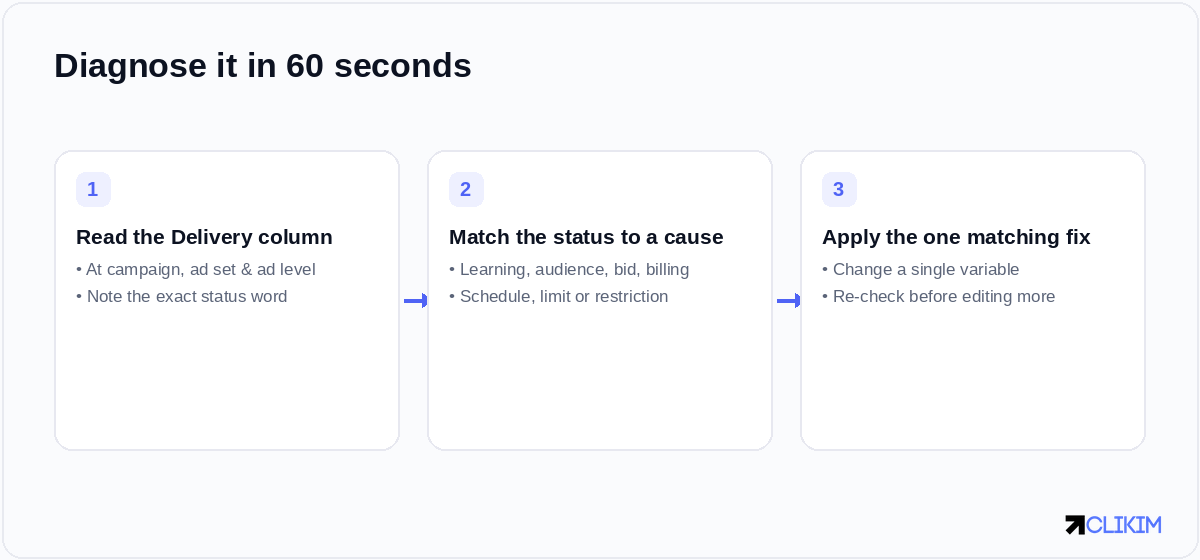
The 60-second diagnosis: read the status, match it to a cause, then change one thing.
Here's how the statuses map to causes. Find yours, then jump straight to that fix.
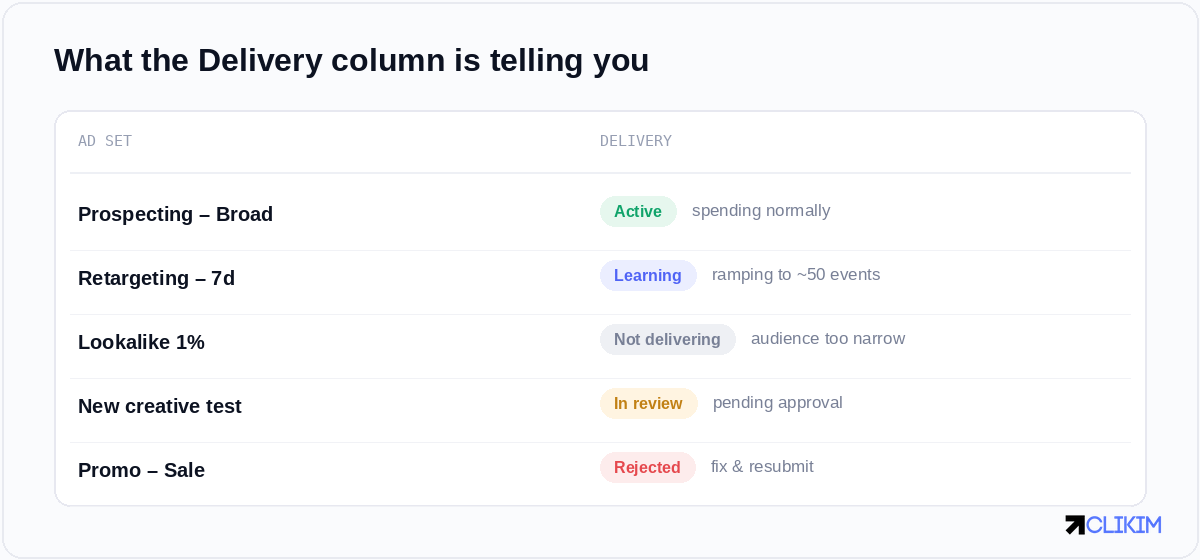
What the Delivery column is telling you — read the status, then match it to a cause below.
If one ad set won't spend, it's almost always settings — audience, bid, budget, learning. If everything stops at once, look at billing, the account spending limit, or a restriction.
1. The campaign is still in the learning phase
New ad sets deliver slowly and unevenly while Meta gathers signal — it's hunting for roughly 50 optimization events per ad set per week before delivery settles. Choppy spend in the first day or two isn't a fault; it's the system feeling out the auction. Fix: don't touch the ad set (each meaningful edit restarts learning), confirm the daily budget can realistically reach ~50 events, and give it a full 24–48 hours before you judge it.
2. Your audience is too narrow
Stacked interests, a tiny custom audience, or aggressive exclusions can shrink the pool until there simply aren't enough affordable impressions to buy. Fix: widen the targeting, drop the exclusions you don't truly need, or hand the job to Advantage+ audiences and let the creative find the buyer. Glance at the estimated audience size before publishing — if it's tiny, that's your answer.
3. Your bid or cost cap is too low
Set a bid cap, cost cap or ROAS goal below what the auction actually clears at, and Meta quietly stops bidding. Nothing's broken — you've just priced yourself out. Fix: switch to Highest Volume briefly to prove the ad set can deliver, then reintroduce a realistic cap based on the real costs you observe.
4. The budget is too low for the optimization event
If a day's budget can't cover even a handful of your target conversions, the system throttles rather than blow it all on one. Fix: fund the ad set to a few times your expected cost per result, or optimize for an earlier event — add-to-cart instead of purchase — so there's enough volume to learn from.
5. A billing or payment issue is blocking delivery
This is the usual suspect when spend stops suddenly. A declined card, an unpaid balance, or a hit billing threshold halts delivery without much fanfare. Fix: open Billing & payments, clear any failed charge, confirm the payment method is valid, and check the threshold. Settling up normally restarts delivery within minutes.
6. The ad is still in review — or was rejected
Ads don't spend until they're approved, and review runs anywhere from minutes to a full day; Meta says most ads are reviewed within 24 hours. A rejected ad won't deliver at all. Fix: if it was knocked back, edit the flagged element and resubmit; if it's been stuck in review well past a day, that delay is itself worth escalating.
7. The schedule or dayparting hasn't started
A campaign can read “Active” while a future start date or an ad-set scheduling rule keeps it on the bench. Fix: check the start time and any dayparting, and double-check your account time zone — it's behind most “why didn't it launch at midnight?” mysteries.
8. You've hit your ad account spending limit
An account-level spending limit that's already maxed stops every campaign at once, no matter what the individual budgets say. Fix: raise or clear it in account settings. Keep in mind that new accounts also ship with a low default daily cap — a separate ceiling that holds fresh accounts back regardless of how much you're willing to spend.
9. Your ad account or Business Manager is restricted
When the account itself is restricted or under review, budgets and bids are beside the point — nothing delivers. Check Account Quality for a notice and request review. Repeated trouble here usually traces back to policy, so it's worth knowing where the lines are; if an account has already been shut down, our guide to reinstating a disabled account covers the recovery path. Rule this cause in or out first whenever several campaigns die at the same moment.
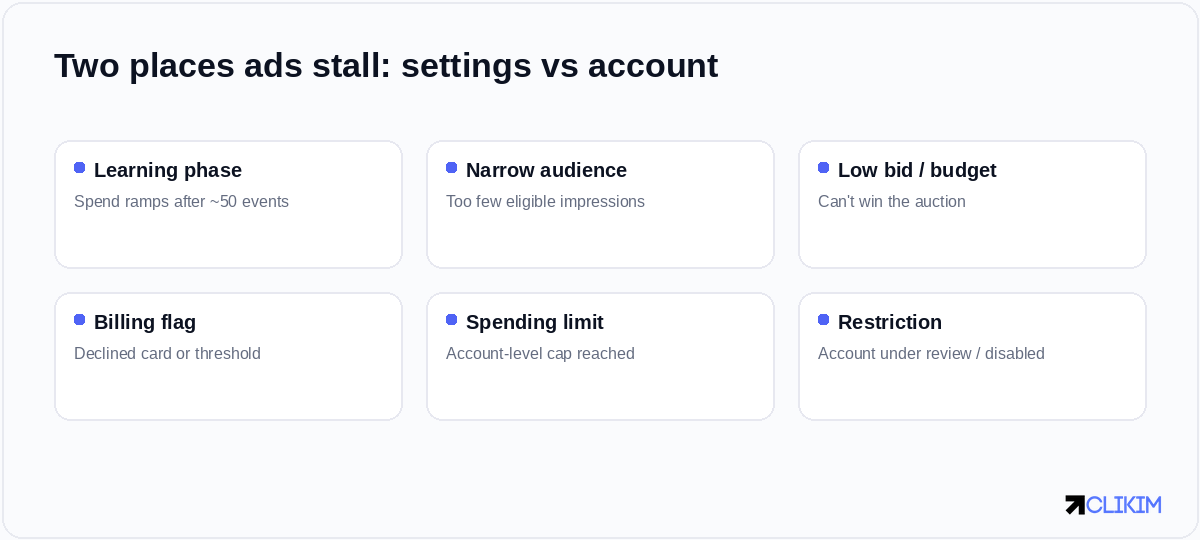
Most non-delivery traces back to one of these — campaign settings on one side, account health on the other.
When the fix isn't settings — it's the account
Run the nine checks and the vast majority of delivery problems clear in minutes. But there's a pattern worth naming. If you keep landing on the same culprits — a stubbornly low spend cap, a surprise billing flag, a restriction that freezes every campaign overnight — the bottleneck isn't your media buying. It's the account underneath it. Brand-new and personal accounts start with the least trust, get reviewed the hardest, and reset the learning behind your best campaigns every time they stumble. You can do everything right and still spend half your week nursing the account instead of scaling it.
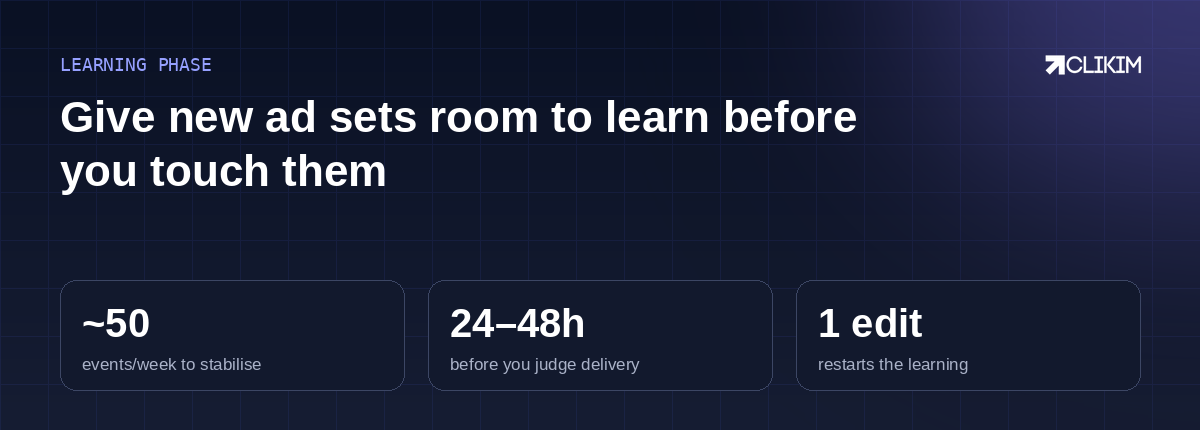
A quick reminder on the learning phase — where many “low spend” cases actually sit.
That's the gap a whitelisted account with no preset caps closes — it runs inside an established Business Manager with a rep who can lift a wrongful restriction fast, so delivery stops being a daily lottery. If the concept's new to you, here's how agency accounts actually work.
Frequently asked questions
Why are my Facebook ads not spending the full budget?+
How long should I wait before my Facebook ad starts spending?+
Why did my Facebook ads stop spending suddenly?+
Does editing an ad set stop it from spending?+
Can a low spending limit stop my ads from delivering?+
My ad is approved but still not spending — why?+
Will switching to a new ad account fix ads that won't spend?+
Tired of campaigns that randomly stop spending?
Run on whitelisted Meta and TikTok infrastructure — no spend caps, 0% top-up fees, and a rep who answers in minutes.