
Facebook Business Manager Restricted: Causes & Fixes
A restricted Business Manager freezes everything inside it — even a healthy ad account. Here's why it happens, how to locate and fix the exact cause, how it differs from a disabled account, and how to keep it from happening again.
A restricted Facebook Business Manager has been limited at the account-container level, which can freeze a healthy ad account inside it. Common causes are incomplete verification, a flagged contained asset, payment or security issues. Fix it by locating the exact reason in Account Quality, completing verification and resolving the flag, then submitting one review request — don't create a new BM, which reads as evasion.
What a restricted Business Manager means
When your Business Manager is restricted, the problem sits one level above your ad accounts — and that's why it's so disorienting. Your ad account can look perfectly healthy while nothing runs, because the BM that contains it has been limited. A restriction is usually a "we need to check something or you need to fix something" state rather than a permanent closure, which is good news: most are recoverable if you respond correctly. If you're not sure whether you're restricted, disabled or banned, our breakdown of the three states clears it up in a minute.
The instinct — spin up a fresh Business Manager and move on — is exactly the wrong move. A new BM created from the same profile and assets often inherits the same scrutiny, and now you've fragmented your setup across two places. Fix the one you have.
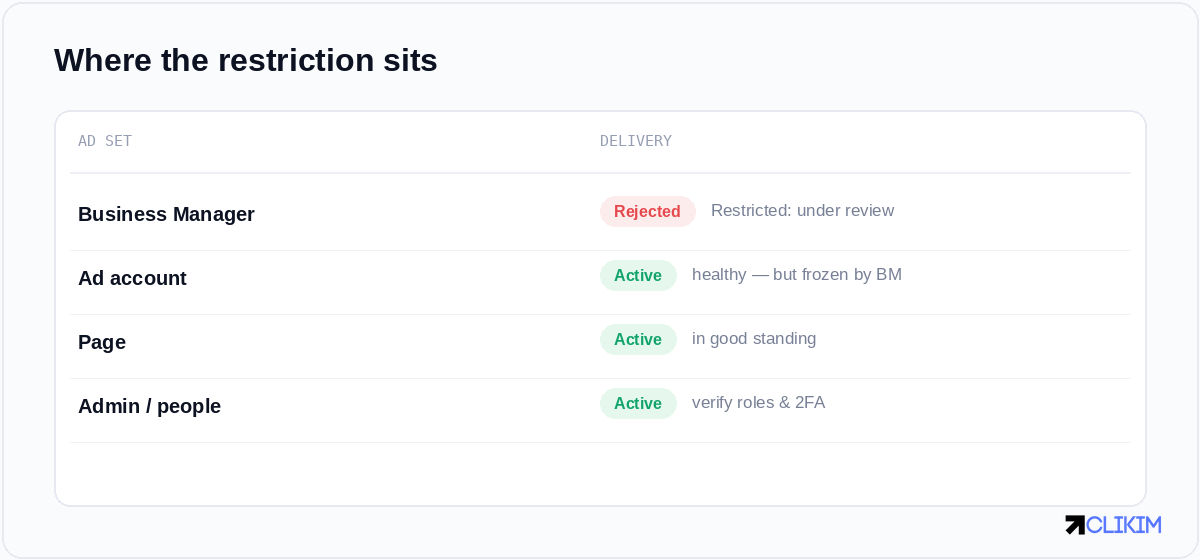
A restricted BM can freeze a perfectly healthy ad account — locate where the restriction actually sits first.
Why Business Managers get restricted
The common causes cluster into a handful of buckets, and the fix depends entirely on which one you're in:
- Incomplete or failed verification. Business verification or identity confirmation that hasn't been completed, or details that don't match. Our guide on verifying a Business Manager is the fix for this one.
- Policy issues on contained assets. A flagged Page, app or ad account inside the BM can drag the whole BM into review.
- Payment and risk signals. Failed payments, mismatched billing, or sudden changes across the business — the same signals behind a payment failure can escalate to a BM-level flag.
- Admin and access anomalies. Suspicious logins, missing two-factor authentication, or rapid role changes.
- Linked-history risk. Connections to previously disabled assets or people.
The reason almost always appears in Account Quality or the BM's settings — read it carefully before acting, because acting on a guess wastes one of your few good review requests.
How to fix it, step by step
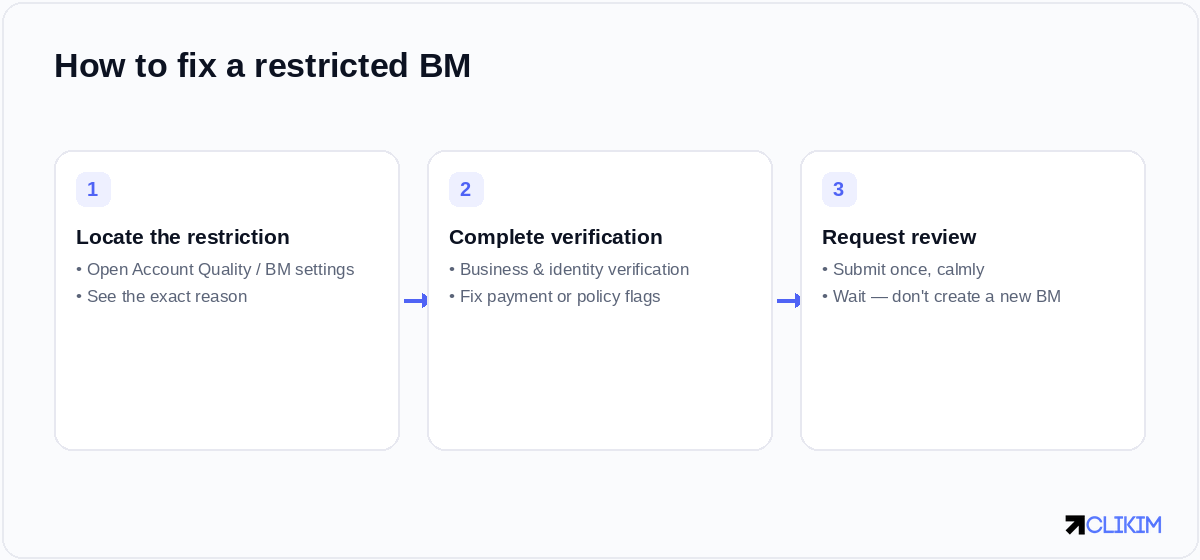
Locate the reason, complete verification and fix flagged assets, then submit a single calm review request.
- Locate the exact restriction. Open Account Quality and the Business Manager's settings to find what's flagged and why. Don't guess — the cause dictates the cure.
- Complete verification and fix the flag. Finish business and identity verification if pending, resolve any payment problem, fix or remove the flagged asset, and tighten security (enable two-factor authentication on admins).
- Request review — once. Submit a single, specific review request and wait. Spamming requests or creating new Business Managers reads as evasion and can make things worse. Meta's Advertising Standards are the reference for any policy-based flag.
How long recovery takes
Verification-based restrictions can lift quickly once you complete the steps — sometimes within a day or two. Policy or risk-based ones depend on review queues and the severity of the issue, and can run longer, much like a straightforward ad account ban timeline. Throughout, resist the urge to make dramatic changes; a quiet, corrected business is the easiest one to reinstate.
Restricted vs disabled — don't confuse the fix
A restriction at the BM level is different from a disabled ad account, and the responses differ. If the ad account itself has been disabled rather than the BM restricted, the right path is the dedicated appeal process, not BM verification. Mixing the two up is one of the most common ways people waste an appeal — so confirm which state you're actually in first.
Preventing the next restriction
Most BM restrictions are avoidable with basic hygiene: complete verification up front, keep two-factor authentication on every admin, keep contained Pages and ad accounts compliant, and avoid stacking sudden changes — the same discipline that prevents account bans generally. If restrictions keep recurring despite clean behaviour, the underlying trust may be the limiting factor, which is the case for running on a higher-trust agency account where a rep can intervene before a flag becomes a freeze.
Frequently asked questions
Why is my Facebook Business Manager restricted?+
How do I fix a restricted Business Manager?+
Should I create a new Business Manager instead?+
How long does a BM restriction last?+
Is a restricted BM the same as a disabled ad account?+
How do I prevent BM restrictions?+
Tired of freezes at the worst moment?
Run on managed whitelisted infrastructure where a rep can step in before a flag becomes a freeze — on a BM2500, with replacements included.