
How to Appeal a Disabled Facebook Ad Account (+ Templates)
A disabled account stops everything — but most appeals are won or lost on specifics. Here's how to read Account Quality, find the real reason, fix it, and submit an appeal Meta can say yes to — with two templates and a plan for if it fails.
To appeal a disabled Facebook ad account, open Account Quality to find the exact policy and asset flagged, fix the underlying issue (creative, landing page, payment or Page), then submit one clear, specific request for review — don't spam multiple appeals. Most resolve in 24–48 hours. If a permanent disable can't be reversed, move to a higher-trust account rather than spinning up another personal one.
First, confirm what actually happened
Before you appeal anything, get precise about what you're appealing. "Disabled", "restricted" and "limited" are different states with different fixes, and firing off the wrong appeal burns one of your few good shots. If you're unsure which you're dealing with, our breakdown of disabled vs restricted vs banned settles it in a minute.
A disabled ad account has been stopped from advertising, usually for a policy or risk reason — and that's the case this guide handles. The instinct is to panic and fire off an angry message. Don't. Appeals are won on calm specifics, and your first move is simply to find out exactly what Meta flagged and where.
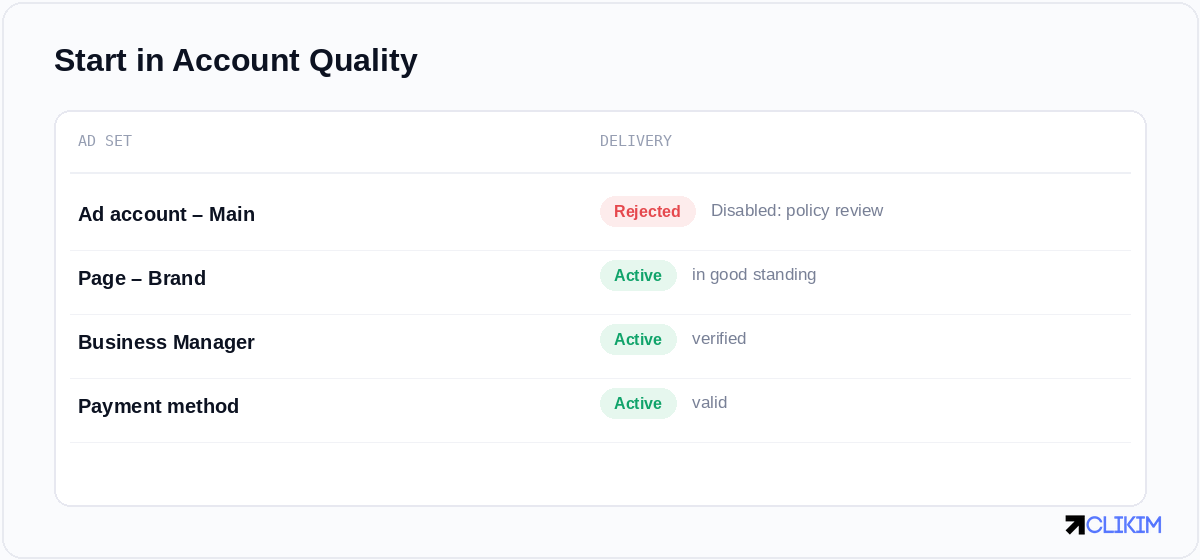
Account Quality tells you where the problem actually sits — appeal the right asset, not a guess.
How to read Account Quality
Open Account Quality and resist the urge to skim. It separates issues by asset — the ad account, the Page, the Business Manager and the payment method — and the disable may sit on a different one than you assume. A restricted Page can freeze ads on a perfectly healthy ad account; a failed payment method can look like a policy ban. Read each tab, note the exact policy named, and identify which specific asset and, if shown, which specific ad triggered it. That citation is the entire basis of your appeal, so copy it down word for word.
Why accounts get disabled — and the fix for each
Most disables trace back to a handful of causes. Matching your fix to the real one is what makes an appeal land:
- Creative or landing-page policy. A non-compliant claim, prohibited content, or a broken/mismatched destination. Fix the asset itself before you appeal.
- Payment or billing flags. A declined card, an unpaid balance, or a mismatched billing country. Resolve the balance and verify the method first.
- Low Page or account quality. A poor customer-feedback score or a flagged Page drags the account down. Address the feedback source, not just the symptom.
- Risk signals from sudden changes. A violent budget jump, a new domain, and a new card all at once can read as account takeover. Revert to normal behaviour before appealing.
The full catalogue lives in the banned ad account playbook; for the appeal, only the cited reason matters.
The appeal, step by step
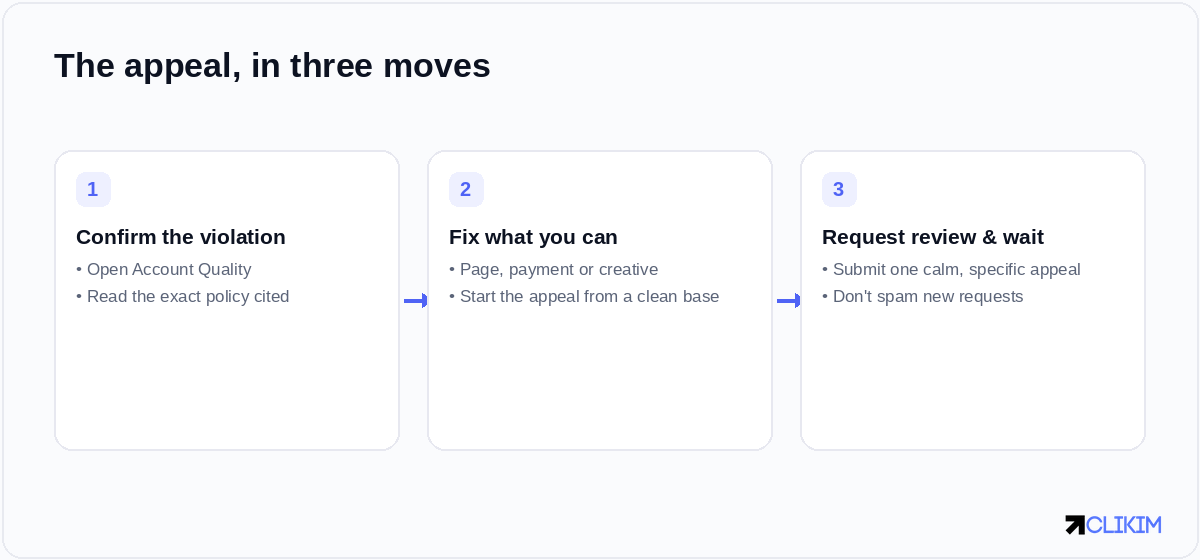
Confirm the cited violation, fix what you can, then submit one calm, specific request for review.
- Read the cited policy in full against the Advertising Standards. Your appeal should speak directly to that policy, not to advertising in general.
- Fix what you can before appealing. Correct the landing page, change the claim, update the payment method. Appealing from a corrected state is dramatically more persuasive than appealing a still-broken account.
- Submit one clear request for review. Use the appeal option on the disabled account. Be specific, calm and brief — Meta outlines the flow in About ads in review.
- Wait — don't spam. Five appeals don't make you five times more likely to win; they can read as abuse. Give it a day or two before any follow-up.
What to write (two templates)
Keep it factual, short and non-defensive. Use the version that matches your situation.
Hello, My ad account (ID: 000000000000000) was disabled on 2026. I've reviewed the Advertising Standards and the policy cited in Account Quality, and I have corrected the issue — specifically, I [removed the non-compliant claim / fixed the landing page / updated the payment method]. The account now complies, and I'd be grateful if you could re-review it. Thank you for your time.
Hello, My ad account (ID: 000000000000000) was disabled on 2026. I've carefully reviewed the cited policy and I believe the account was flagged in error, because [brief, factual reason — e.g. the product is compliant and the claim is substantiated]. I run compliant campaigns and would appreciate a re-review. Thank you.
What not to write
Just as important as the template is what to leave out. Don't threaten to leave Meta, don't write three paragraphs of frustration, don't admit to violations you weren't cited for, and don't copy-paste the same wall of text across five appeals. Reviewers process these at volume; the easy "yes" is a short, specific, corrected request. Anything that makes you look risky or exhausting makes "no" the safer call for them.
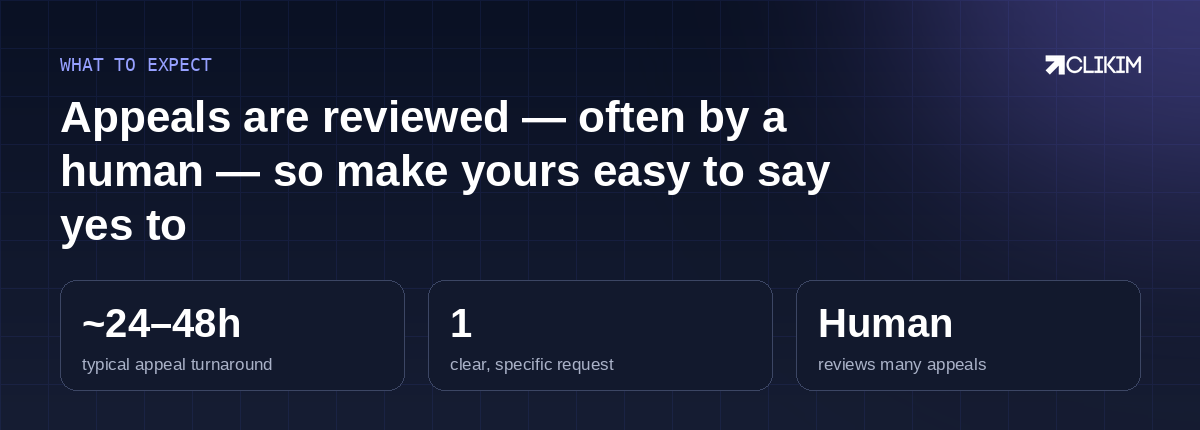
Set expectations: appeals usually turn around in a day or two, and many are seen by a human.
How long it takes
Most appeals resolve within 24–48 hours, though it can be faster or slower with volume and violation type. You'll typically get a notification and an updated status in Account Quality. When it comes back, ease in — don't relaunch every campaign at full budget the instant the account reopens, or you risk tripping the same wire again.
If the appeal fails
Sometimes the answer is no, and a permanent disable can't always be reversed. That's the moment to stop pouring effort into a dead account. Spinning up a fresh personal account — same profile, same card, same Page — usually just restarts the same cycle, and often gets flagged faster than the last one. If you keep ending up here, the pattern matters more than any single ban; read why Facebook keeps banning your ad account.
The durable move is to run on infrastructure that's harder to lose and comes with a human who can escalate. A whitelisted Facebook agency ad account sits inside an established Business Manager with a rep who can appeal on your behalf and a replacement included if it's ever lost — here's how to get one.
After reinstatement: how to keep it
Winning the appeal is step one; not needing another is the goal. Once you're back, give the account a quiet week — modest budgets, clean creative, no dramatic changes. Treat your rejected ads as early warnings and fix the cause rather than relaunching the same thing. Account trust is cumulative, and the fastest way to rebuild it is an uneventful stretch of compliant spending.
Preventing the next disable
Whatever happens with this appeal, lower the odds of a repeat:
- Keep creative and landing pages comfortably inside policy — don't live on the edge.
- Protect your Page quality and feedback score; account trust compounds in both directions.
- Avoid stacking sudden changes — big budget jumps, new domains and new payment methods all at once.
- If a single ad is the problem, fix that ad rather than letting rejections pile up against the account.
Facebook Account Health in 2026: The State of Enforcement — what triggers bans, real appeal odds, vertical risk multipliers and the ban-proofing stack, with sources and quarterly updates.
Frequently asked questions
How do I appeal a disabled Facebook ad account?+
How long does a Facebook ad account appeal take?+
What should I write in a Facebook appeal?+
What should I not write in an appeal?+
Can a permanently disabled ad account be reinstated?+
Will creating a new account get around the disable?+
Why was my account disabled with no clear reason?+
How do I keep my account after it's reinstated?+
Tired of fighting to get accounts back?
Run on whitelisted Facebook infrastructure — a rep can escalate appeals on your behalf, and a replacement is included if an account is ever lost.