
Facebook Pixel Not Working? Troubleshooting Guide
A pixel that's 'not working' is usually one event not firing or data being blocked — not a broken pixel. Here's how to diagnose it in about five minutes, fix each cause, the server-side move that ends it for good, and why partial tracking quietly costs you.
A Facebook pixel that isn't working is almost always a specific event not firing, the wrong pixel ID installed, or data blocked by consent tools and ad-blockers. Diagnose it with the Pixel Helper (install) and Events Manager → Test Events (live events), then fix the specific gap. For leaky browser tracking, adding the Conversions API server-side is the durable fix.
First, what "not working" usually means
A Facebook pixel "not working" is rarely the pixel being broken — it's almost always a specific event not firing, the wrong pixel installed, or data being blocked before it reaches Meta. Pinning down which of those it is takes about five minutes with the right tools, and saves you from guessing. The pixel matters because it's how Meta learns who converts and optimises delivery toward them; when it's silent or partial, your campaigns optimise on bad data — and that quietly inflates the cost of everything you run.
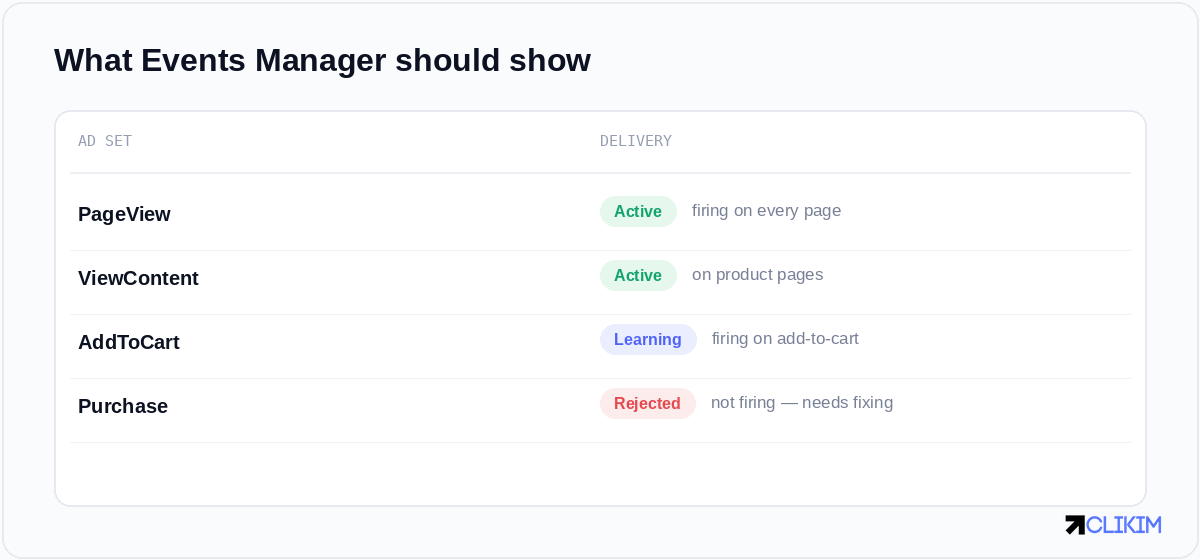
Events Manager is your scoreboard — it shows exactly which events are firing and which are silent.
The common reasons it isn't working
Most pixel problems are one of these:
- Not installed (or only partly). The base code is missing on some pages, or wasn't added site-wide.
- Wrong pixel ID. A different pixel's ID is on the site — common after agency handovers or template copies.
- Events not firing. The base code loads but specific events (Purchase, Lead) aren't triggered because the trigger or parameters are wrong.
- Consent and ad-blockers. A cookie-consent tool blocking until opt-in, or browser blockers, can suppress browser-side events.
- Domain not verified. An unverified domain limits event configuration and can break attribution — one more reason to complete business and domain verification.
- Browser-only setup. Relying solely on the browser pixel in a world of blockers and iOS limits leaves gaps a server-side setup would catch.
How to diagnose it
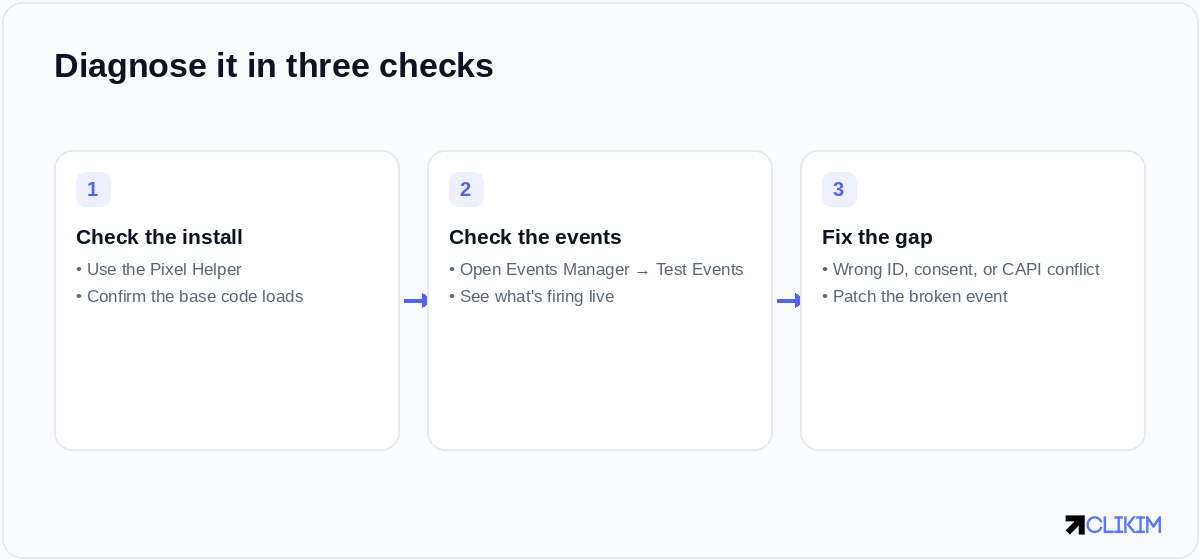
Three checks isolate almost every pixel problem: the install, the live events, then the specific gap.
- Check the install with the Pixel Helper. The Meta Pixel Helper browser extension tells you instantly whether the base code loads and which pixel ID it sees on each page.
- Check live events in Events Manager. Open Events Manager → Test Events, browse your site, and watch which events fire in real time. This is where "Purchase isn't firing" becomes obvious.
- Isolate the gap. If the base loads but an event is missing, the trigger or parameters are the issue. If nothing loads, it's an install or consent problem. If the browser shows events but Meta doesn't, suspect blockers — which is the case for a server-side backstop.
How to fix each cause
Match the fix to what you found. Reinstall the base code site-wide if it's missing; correct the pixel ID if it's wrong; fix the event trigger and required parameters for a missing event; configure your consent tool to fire the pixel after opt-in; and verify your domain in Business settings. If browser events keep getting blocked, the durable fix is to add the Conversions API so events are sent server-side as well.
Why a server-side backstop is the real fix in 2026
Browser-only tracking is increasingly leaky — ad-blockers, privacy settings and iOS limits all suppress browser events. The Conversions API sends conversions to Meta directly from your server, which recovers much of that lost signal and makes your pixel data more complete and resilient. If your pixel has been "not working" intermittently, this is usually the move that ends the whack-a-mole for good.
Why partial tracking quietly costs you
It's tempting to shrug off a missing event, but partial data has compounding costs. Meta optimises toward the conversions it can see; if half your purchases are invisible, it optimises toward the wrong people, your reported cost per acquisition looks worse than reality, and you may cut winning ads that were actually profitable. Clean tracking isn't a nice-to-have — it's the difference between scaling on signal and scaling on noise.
If campaigns aren't spending because of it
A broken pixel can hurt delivery, but if ads simply aren't spending, the cause is often unrelated — run through why Facebook ads don't spend to rule out the usual suspects. And remember that tracking only pays off on an account that stays live to use it — which is the job of a stable ad account that won't keep dropping out from under your data.
iOS 26's fbclid stripping — the Safari change that thinned everyone's match keys. the pixels-to-datasets transition — where your 'pixel' actually went in 2026.
Frequently asked questions
Why is my Facebook pixel not working?+
How do I check if my Facebook pixel is firing?+
Why is my pixel installed but events aren't firing?+
Do ad-blockers stop the Facebook pixel?+
Does domain verification affect the pixel?+
Does a broken pixel raise my costs?+
Tracking only pays off on an account that stays live
Run on managed whitelisted infrastructure so your pixel and server-side data actually get used at scale — no spend caps, with a dedicated rep.