
Facebook Special Ad Categories, Explained
Special ad categories are the one area where Facebook deliberately makes targeting worse — to prevent discrimination in credit, employment, housing and political ads. Here's which ads qualify, exactly what targeting you lose, and how to adapt so your campaigns still perform.
Facebook special ad categories apply to ads about credit, employment, housing, and social issues/elections/politics, where targeting is deliberately restricted to prevent discrimination and ensure transparency. You must declare the category at the campaign level, and you lose age, gender and tight-ZIP targeting, many interests, and normal lookalikes (replaced by special ad audiences). The way to adapt — broad reach plus strong creative — is modern best practice anyway, so let your creative do the selecting.
• Special ad categories apply to ads about credit, employment, housing, and social issues/elections/politics. • They exist to prevent discriminatory or opaque targeting in legally sensitive areas. • You must declare the category at the campaign level — misclassifying risks rejections or bans. • Targeting is heavily restricted: no age, gender or tight ZIP narrowing, limited interests, no normal lookalikes. • Use special ad audiences instead of standard lookalikes. • The fix for lost targeting is broad reach + strong creative — which is modern best practice anyway. • Get the category and compliance right, then run it on a stable account so it isn't derailed by restrictions.
What special ad categories are
Special ad categories are a set of regulated advertising topics on Facebook where targeting is deliberately restricted to prevent discrimination and ensure transparency. If your ad relates to credit, employment, housing, or social issues, elections and politics, Meta requires you to declare it as a special category — and in exchange, strips away many of the targeting options normal advertisers take for granted. It's one of the few areas where Facebook intentionally makes targeting worse.
The reason is legal, not arbitrary. These categories map to areas covered by anti-discrimination and election-integrity laws — you can't lawfully show a housing or job ad only to certain ages, genders or ethnicities, so Facebook removes the ability to do so. Understanding which ads fall under these rules, what changes, and how to adapt your strategy is essential if you advertise in any of these spaces, because getting it wrong risks rejections or worse.
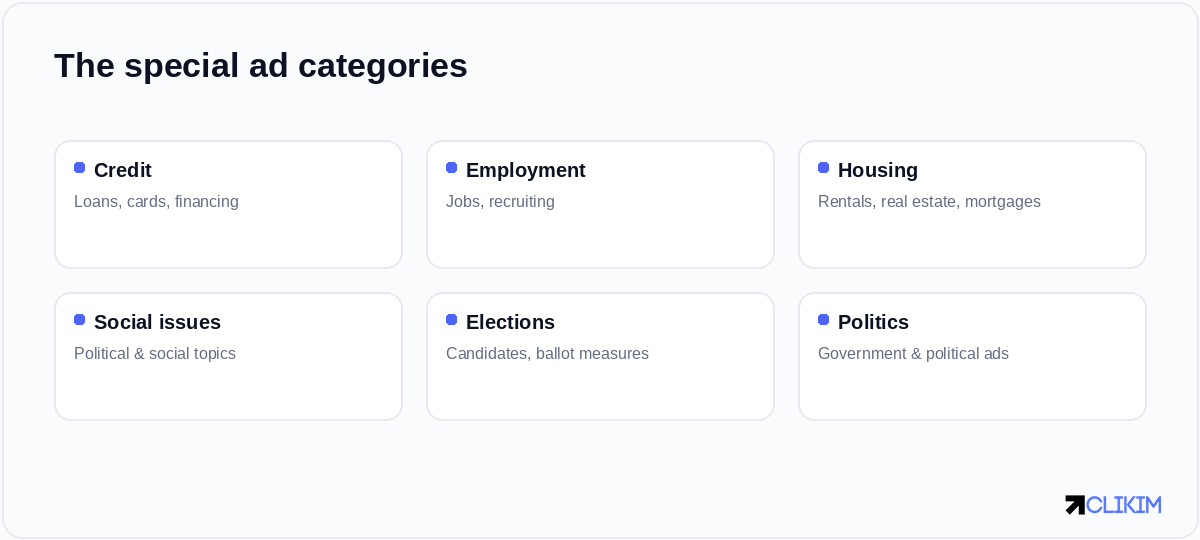
Special ad categories cover credit, employment, housing, and the social-issues/elections/politics bucket.
The categories in detail
There are four broad buckets, and it's worth knowing exactly what each covers so you classify correctly.
The categories exist to prevent discriminatory or opaque targeting in sensitive areas — they're legal, not arbitrary.
Credit covers loans, credit cards and financing offers. Employment covers job ads and recruiting. Housing covers rentals, property sales and mortgages. And the social issues, elections and politics bucket covers political and advocacy advertising, which also carries additional authorisation and "paid for by" disclosure requirements. If your offer touches any of these, you're in special-category territory, even if it feels like an ordinary product to you.
Declaring the category correctly
You declare a special ad category at the campaign level when you create the campaign, before you build ad sets. This is not optional or a judgement call you get to skip — running a special-category ad as a normal one is itself a policy violation. Meta's systems (and reviewers) also detect special-category content independently, so misclassifying to dodge the targeting limits is a fast route to rejections and account trouble.
Be honest at this step. If you're genuinely unsure whether your ad qualifies — some financial or community ads sit in grey areas — err toward declaring, or check Meta's policy detail. The downside of wrongly declaring a normal ad is mild (some lost targeting); the downside of failing to declare a special-category ad is rejections, restrictions, and erosion of the account trust everything else depends on.
What targeting you lose
Once a campaign is in a special category, a whole set of targeting levers is locked or removed. This is the core practical impact.
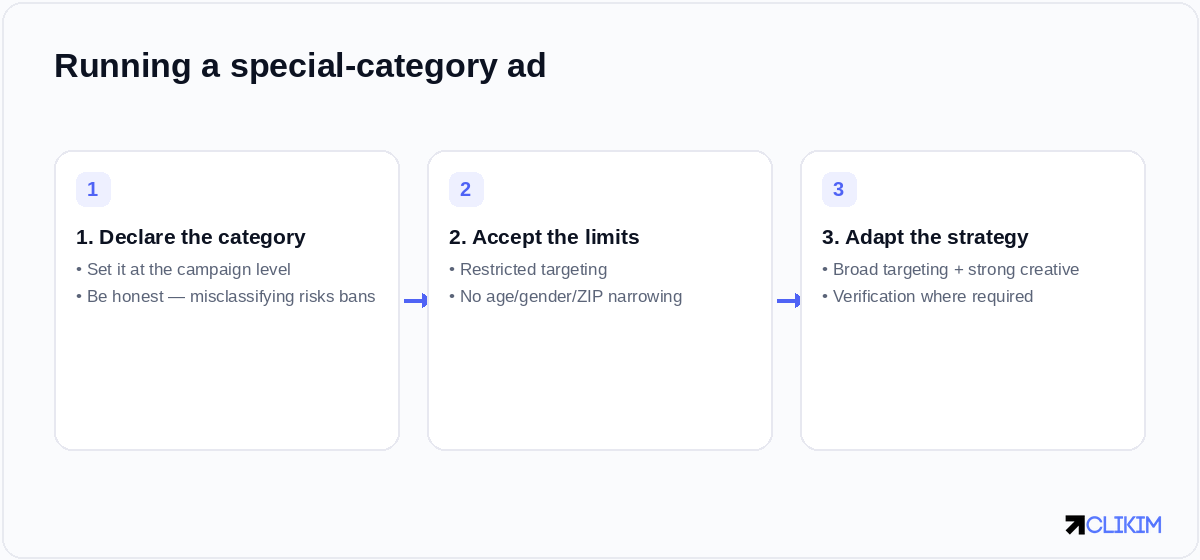
Running special-category ads is a three-step adjustment: declare, accept the targeting limits, and adapt the strategy.
Special categories strip out the demographic and granular targeting levers — broad reach is effectively mandatory.
You can't narrow by age or gender, you can't use a tight ZIP-code radius (a minimum radius applies), many detailed interest options are restricted, and standard lookalikes are replaced by "special ad audiences." In short, the demographic and granular targeting toolkit is largely taken away, and broad reach becomes effectively mandatory. For advertisers used to precise targeting, this feels like a major handicap at first.
Special ad audiences vs lookalikes
One specific substitution matters enough to call out: in special categories you can't use normal lookalike audiences, but you can use special ad audiences. These are built similarly — from a source audience — but with the demographic signals that could enable discrimination removed from the modelling. They tend to perform a little less sharply than standard lookalikes, but they remain a genuinely useful way to find similar prospects within the rules.
If lookalikes were central to your strategy, special ad audiences are your closest compliant equivalent — build them the same way and expect slightly softer but still valuable results. Combined with broad targeting, they give you a workable prospecting approach even inside the constraints.
How to adapt your strategy
The good news is that the way you compensate for lost targeting is exactly the direction modern Facebook advertising has gone anyway.
The constraints push you toward broad targeting and creative-led selection — which is where Facebook already works best.
With demographic and interest targeting off the table, your creative has to do the selecting — a job ad whose copy speaks directly to the right candidates effectively reaches them by self-selection, and a housing ad that shows the property and neighbourhood attracts the right renters. Since broad targeting plus strong creative is already best practice (see account structure), special-category advertisers are simply pushed earlier into the playbook everyone is moving toward.
Handling the geographic limits
The geographic restriction trips up local advertisers in particular. Because you can't target a tight radius (a minimum applies, and exclusions are limited), a local housing or hiring ad will reach a wider area than you might want. The workaround is to lean on creative and copy to qualify: name the specific location prominently, describe the area, and let people outside it self-deselect.
It means accepting some wasted reach and adjusting your cost expectations accordingly — you'll pay to show ads to some people outside your ideal zone. Building that into your budgeting up front prevents the nasty surprise of "why is my local ad showing 40 miles away," which is a feature of the rules, not a misconfiguration.
Common special-category mistakes
- Not declaring — running a credit/job/housing ad as normal, risking rejection and account flags.
- Trying to sneak targeting — using proxies for demographics, which violates the spirit and letter of the rules.
- Expecting old performance — assuming the same tight-targeting results without adapting creative.
- Skipping authorisation — for political/social ads, missing the required verification and disclaimers.
- Grey-area denial — convincing yourself a borderline financial or community ad "doesn't count."
Why these rules exist
It's easier to work within the restrictions when you understand why they're there, because then the limits feel like guardrails rather than arbitrary obstacles. In many countries it's illegal to discriminate in lending, hiring and housing on the basis of protected characteristics like age, gender, race or family status. A platform that let advertisers show a job ad only to men under 40, or a housing ad only to certain neighbourhoods, would be enabling exactly that discrimination at scale — and regulators have held platforms accountable for it.
The political and social-issue rules come from a different but related place: transparency and election integrity. After well-documented abuse of micro-targeted political messaging, platforms were pushed to make political advertising more open — hence the authorisation, the public ad library, and the "paid for by" disclaimers. Seen this way, special ad categories aren't Facebook being difficult; they're Facebook complying with the law and public pressure, and passing those obligations on to you. Treating them as legal requirements rather than platform quirks puts you in the right mindset to comply cleanly.
A pre-launch checklist
Before you launch anything in a regulated space, run through a short mental checklist. Does my offer touch credit, employment, housing, or social/political topics — including grey-area cases I might be tempted to dismiss? Have I declared the correct category at the campaign level? Have I accepted and planned around the targeting limits, rather than expecting my old demographic precision? For political or social ads, have I completed identity authorisation and added the required disclaimers?
Then the strategy questions: is my creative strong enough to do the audience-selecting that targeting no longer can? Have I built special ad audiences to replace my lookalikes? Have I budgeted for the wider geographic reach? Running this checklist before each special-category campaign turns compliance from an afterthought that gets you flagged into a deliberate, repeatable step — which is exactly how you keep both the regulators and Meta's enforcement systems satisfied.
Compliance plus a stable account
Special categories raise the stakes on account stability, because the content is inherently more scrutinised and the penalties for getting it wrong are steeper. An ad wrongly run outside its category, or a political ad without proper authorisation, can trigger restrictions that take your advertising offline — and rebuilding trust in a sensitive vertical is harder than in an ordinary one.
So the winning approach is two-fold: get the compliance right (declare correctly, complete any required verification, adapt your targeting), and run it on a stable, high-trust ad account that won't compound the inherent scrutiny with its own fragility. In regulated categories especially, you want infrastructure that gives you fewer reasons to be flagged, not more — so your compliant campaigns actually get to run.
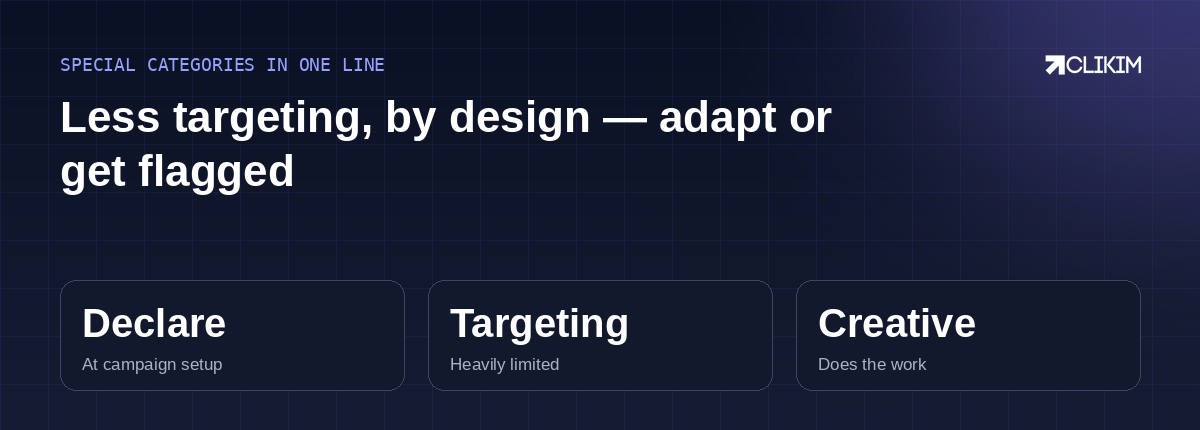
Special categories trade targeting for compliance — declare honestly, let creative select, and run on a stable account.
Frequently asked questions
What are Facebook special ad categories?+
Which ads need a special ad category?+
What targeting do you lose in a special ad category?+
How do I declare a special ad category?+
What are special ad audiences?+
How do I target effectively with the restrictions?+
Why is my local special-category ad showing far away?+
What happens if I don't declare the category?+
Do political ads have extra requirements?+
Are special ad categories the same in every country?+
Do the restrictions hurt performance?+
Do I need a special account for these categories?+
Regulated category? Don't add account fragility to the scrutiny
Special-category ads are watched closely. Run them on stable, high-trust managed infrastructure that gives Meta fewer reasons to flag you. Operated on BM2500 infrastructure.