
Facebook Ad Account: Disabled vs Restricted vs Suspended
“Banned” gets used for everything — but Facebook puts your account into distinct states, and each needs a different fix. Here's how to tell restricted from disabled from banned, and exactly what to do for each.
A restricted Facebook ad account is limited but often still partly usable and usually clears once you fix the flagged item. A disabled account is stopped from advertising and needs an appeal to recover. A permanently banned account is closed and rarely reversible. Check Account Quality to see which state — and which asset — is affected, then match the fix to the state.
The three states, defined
People use "banned" as a catch-all, but Facebook actually puts your account into distinct states, and each one calls for a different response. Getting the label right is the difference between a five-minute fix and a wasted appeal.
- Restricted (or limited): the mildest. The account still exists and may still run some ads, but something is capped or paused — a spend limit, a feature, or a specific ad. Often the result of a single flagged item.
- Disabled: serious. The ad account is stopped from advertising entirely, usually for a policy or risk reason, and you'll need to appeal to recover it.
- Permanently banned: the most severe. The account is closed and, in most cases, can't be brought back on appeal.
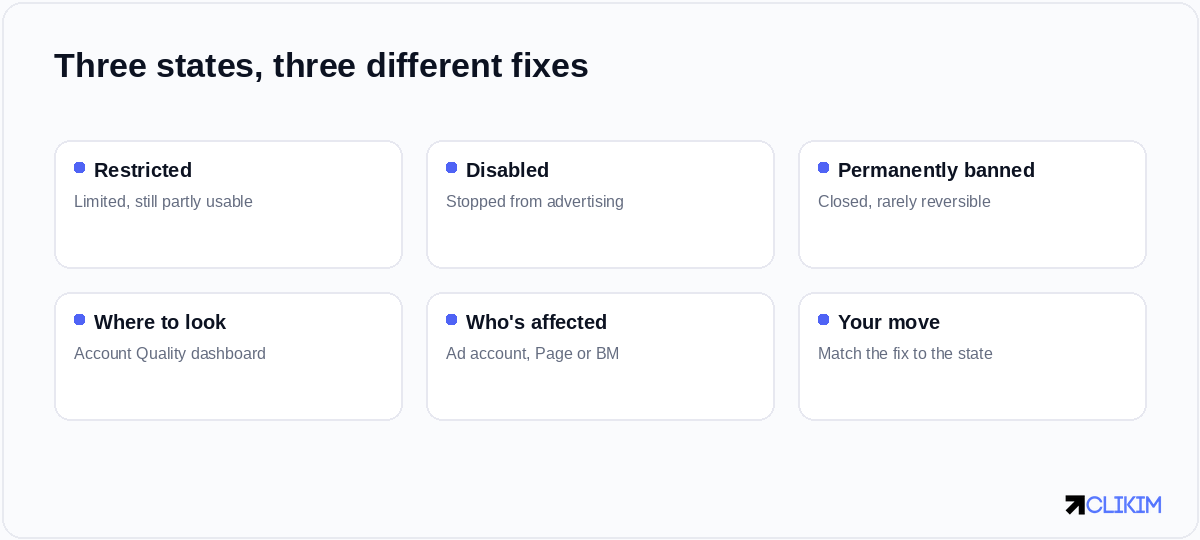
Restricted, disabled, banned — same dashboard, very different severity and fixes.
Side by side
Here's how the three compare on the dimensions that decide your next move.
The three states at a glance — severity rises left to right, and so does how hard it is to undo.
How to tell which one you have
Don't infer it from the error message alone. Open Account Quality and check each tab — ad account, Page, Business Manager and payment method. The dashboard states the status explicitly and tells you which asset is affected, which is often not the one you assumed. A "restricted" Page can stop ads on a perfectly healthy ad account, for example.
What to do for each
Restricted: find and fix the single flagged item — usually a specific ad or a setting. Often it clears on its own once the cause is gone; if an ad was the trigger, fix the rejected ad and move on.
Disabled: this needs a proper appeal. Work through our step-by-step on appealing a disabled ad account, including a template.
Banned: appeal once if you can, but a permanent ban rarely reverses. If you keep ending up here, the issue is bigger than one account — read why Facebook keeps banning your ad account, and consider running on a higher-trust account that's harder to lose. The full causes live in the banned ad account playbook.
Frequently asked questions
What's the difference between a disabled and restricted Facebook ad account?+
Is a disabled ad account the same as banned?+
How do I know if my account is restricted, disabled or banned?+
Can a restricted Facebook ad account be fixed?+
Can a banned Facebook ad account be recovered?+
Why is my account restricted when I didn't do anything?+
Whichever state you're in, stop losing accounts
Whitelisted Facebook infrastructure comes with rep-led appeals and lifetime replacements — so a flag doesn't end your run.