
Compare Attribution Windows Without Resetting Learning
Every 'what would my numbers look like under 1-day click?' question has a free, read-only answer — buried in the Columns dropdown. How to find it, how to read the 1dc/7dc delta as a consideration-cycle report, and why the alternative (changing the real setting) costs a learning phase.

Columns dropdown → Compare Attribution Settings → tick 1-day click / 7-day click / 1-day view / engaged-view → side-by-side columns, retroactive and read-only (your optimization setting never changes — changing the REAL setting risks a learning reset). Read the 1dc/7dc delta as a buyer-speed report: under ~15% = impulse buyers, daily reads are honest; 30%+ = deliberators, judge on 7-day cohorts and stop panic-killing at day 3. Heavy view-column share = reconcile click-only and audit retargeting frequency. Deltas differ per campaign — set per-campaign judgment windows, re-check quarterly, and know your delay profile before Q4.
• The Compare Attribution Settings columns (Columns dropdown → Compare Attribution Settings) show 1-day click, 7-day click, and view windows side by side, read-only — no setting changes, no learning risk. • Changing an ad set's actual attribution setting can reset learning — never do it just to answer an analysis question. • The 1dc/7dc delta profiles your buyers: under ~15% = impulse (daily reads fine); 30%+ = deliberators (judge on 7-day cohorts, ignore daily CPA noise). • Since the 2026 window removals, the comparison set is shorter — but the same columns are how you rebaseline old data against the new reality. • Wildly different deltas between campaigns mean different audiences deliberate differently — set per-campaign judgment windows. • Know your delay profile before Q4: mis-timed kill decisions on slow-converting audiences are a seasonal budget shredder.
Finding the feature (it moves, but it's there)
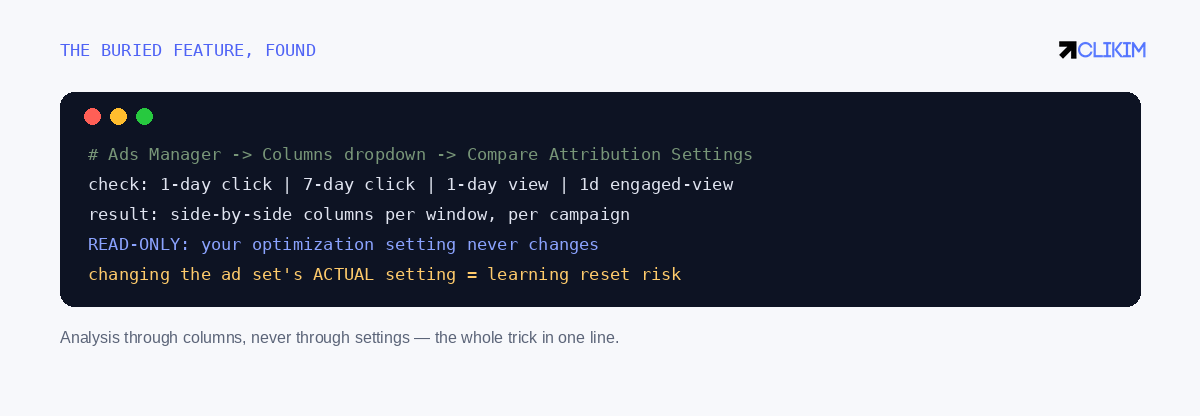
Columns dropdown, not ad set settings — the difference between analysis and surgery.
Half the confusion around this feature is location: it lives in the Columns dropdown → Compare Attribution Settings, not in ad set settings, and Meta has moved and re-labeled it across UI updates often enough that even veterans hunt for it. Tick the windows you want — 1-day click, 7-day click, 1-day view, 1-day engaged-view — and Ads Manager renders each as its own column beside your default reporting. Two properties make it the right tool: it's retroactive (historical conversions re-bucketed under each window, no waiting) and it's read-only — your ad sets' actual optimization settings never move, which matters because changing the real setting is a significant edit that can reset the learning phase. The rule that saves accounts: analysis through columns, never through settings.
Reading the deltas like a strategist
The columns are a diagnostic instrument: the 1dc/7dc delta is effectively a free consideration-cycle report on every audience you run.
The comparison's real product isn't window trivia — it's a free consideration-cycle report. A supplements brand seeing 7dc within 10% of 1dc has same-session buyers: daily dashboards mean something, kill decisions can be quick, and short-window judgment is honest. A furniture brand seeing 7dc run 45% above 1dc has researchers: a third-plus of its conversions arrive days after the click, every daily CPA panic is premature by definition, and the right cadence is weekly cohort reads (click week → conversion count, the same cohort logic from the reconciliation guide). Since the January 2026 window removals, the delta analysis got MORE valuable, not less: with 8–28-day credit gone from reporting entirely, knowing how much of your true cycle lives past day 7 (survey data, CRM lag analysis) tells you how much silent under-reporting your vertical carries — the number to annotate rather than rediscover quarterly.
Three decisions the columns settle
Kill timing. Before pausing a "failing" ad set, check its 1dc/7dc delta: on a 40%-delta audience, day-3 CPA is structurally ~30% worse than its settled value — the kill criteria need window-adjusted patience or you're executing ads for the crime of selling to deliberate people. Creative comparison across formats. Video often skews toward view/engaged-view credit while statics skew click — compare formats on the SAME window column (7dc for both) or the "winner" is just the format whose credit type your default flatters. Budget seasonality. Deliberation compresses under urgency: many accounts' 7dc/1dc delta shrinks in Q4 (deadline shopping) and stretches in slow months. A quarterly screenshot of your deltas builds the calendar-of-patience that keeps November decisions from being made with July's assumptions.
The 10-minute quarterly protocol
Once a quarter: (1) open the comparison columns account-wide, 30-day range; (2) record 1dc, 7dc, view-share per major campaign; (3) compute the deltas and note movement vs last quarter; (4) adjust each campaign's judgment window and kill-patience accordingly; (5) file the screenshot next to your reporting so the next platform change has a before-picture. That's the entire discipline — one read-only view, quarterly, replacing both the mid-flight setting changes that reset learning and the window arguments that reset team morale.
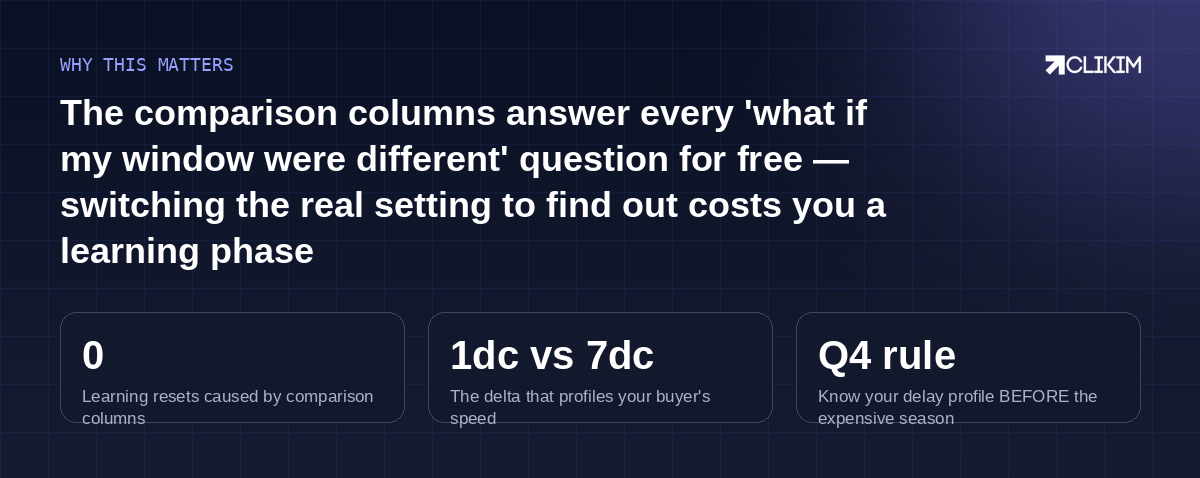
One read-only view answers the questions people break their ad sets to ask.
Frequently asked questions
Where is Compare Attribution Settings in Ads Manager?+
Does viewing comparison columns affect my campaigns at all?+
Does changing my real attribution setting reset the learning phase?+
What's a normal gap between 1-day click and 7-day click?+
Which windows can I still compare after the 2026 changes?+
My view-through column is huge — is that good or bad?+
Should video and image ads be judged on different windows?+
Can I set different attribution settings per campaign?+
How does this help with Q4 planning?+
What replaced the 28-day comparison for long-cycle analysis?+
Is there an API/export version of the comparison?+
Patience calibrated, ceiling removed
Whitelisted infrastructure — judge on the right windows, scale without the account being the bottleneck.