
Facebook Ads Payment Failed? Causes & Fixes
A payment failure pauses everything instantly — but it's also one of the easiest stalls to fix. Here's why Facebook payments fail, how to get delivery back in minutes, the billing threshold explained, and how to stop the surprise pauses.
Facebook ads payments usually fail because of a declined card (expired, low funds, or your bank blocking it), a hit billing threshold, or a currency/verification issue. Fix it by reading the exact decline reason in Billing & payment settings, updating or replacing the method, settling any balance, and adding a backup. Delivery typically resumes within minutes.
Why a payment failure stops everything fast
Of all the reasons Facebook ads stall, a payment failure is the most abrupt: one moment you're delivering, the next everything is paused. That's because Meta won't run ads it can't bill for. The upside is that billing problems are usually the easiest category to fix — there's a concrete cause (a card, a balance, a threshold) and a concrete fix. The key is reading the exact reason rather than guessing. If a sudden full stop is your symptom, billing is one of the first things to check, as covered in why Facebook ads don't spend.
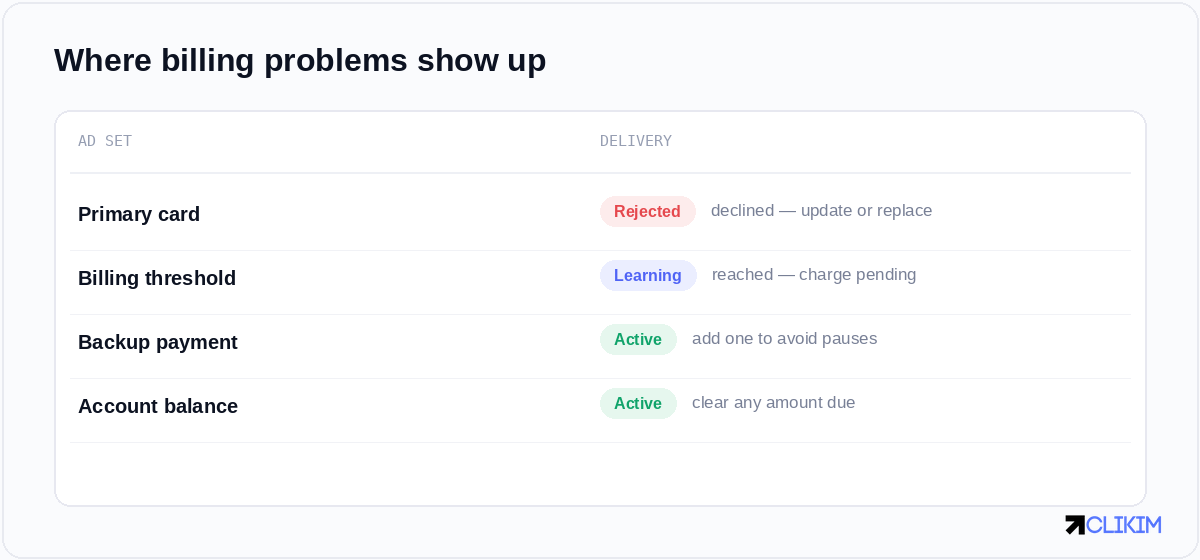
Billing & payment settings names the problem — a declined card, a hit threshold, or an amount due.
Why payments fail
- Card declined. Expired, insufficient funds, or your bank flagging an unusual charge — the most common cause by far.
- Billing threshold reached. Meta charges you in increments; hitting the threshold triggers a charge that, if it fails, pauses delivery.
- Bank blocking the charge. Banks sometimes block ad-platform charges as suspicious, especially the first few or larger ones.
- Currency or country mismatch. A card from a different country than the account can be rejected.
- Verification or risk hold. A flagged payment method awaiting confirmation.
How to fix it
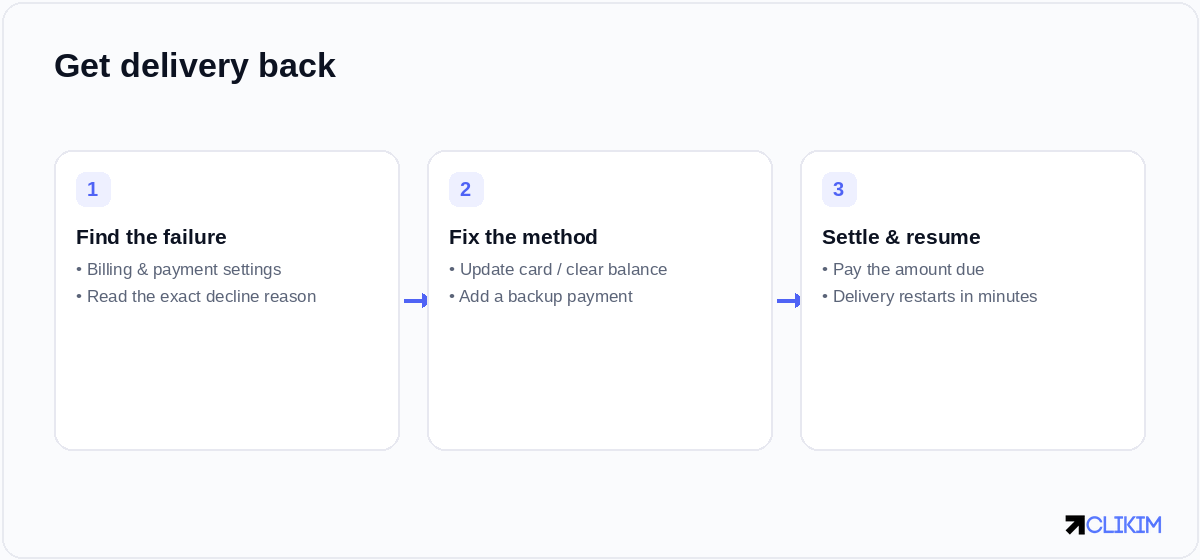
Find the failure, fix or replace the method, settle the balance — delivery usually resumes within minutes.
- Read the exact decline reason in Billing & payment settings. The fix depends on whether it's the card, the threshold, or a hold.
- Fix or replace the payment method. Update the expired card, switch to one with funds, or contact your bank to approve Meta as a merchant.
- Settle any amount due and add a backup. Pay the outstanding balance to lift the pause, and add a backup payment method so a single decline doesn't stop you again.
Understanding the billing threshold
The billing threshold confuses a lot of advertisers. Rather than charging per click, Meta bills you when your spend reaches set increments (and on a monthly date). As your account establishes history, that threshold rises. A failed charge at the threshold is a common cause of sudden pauses — and it's why keeping a valid method and a backup matters more than people expect. Note that this is different from the account spending limit: the threshold is when you're charged; the spending limit is a cap on how much can be spent.
Preventing the next one
Most payment pauses are avoidable: keep a valid primary card with headroom, add a backup payment method, pre-authorise Meta with your bank if charges keep getting blocked, and watch for expiry dates. Repeated payment failures are also a quiet risk signal to Meta — too many can contribute to restrictions, including a restricted Business Manager — so it's worth keeping billing boringly stable as part of how you prevent bans generally.
Billing stability and account health
Payment reliability isn't just convenience; it's part of your account's trust profile. Frequent declines and churned cards read as risk, and risk is what gets accounts repeatedly banned. Running on a stable setup — and, for serious spenders, managed whitelisted infrastructure with 0% top-ups and a funded balance — removes a whole category of "why did everything just pause?" moments, because you fund the account ahead of spend instead of relying on a card clearing at the threshold.
Frequently asked questions
Why did my Facebook ads payment fail?+
How do I fix a failed Facebook payment?+
What is the Facebook billing threshold?+
Why does my bank keep declining Facebook ads?+
Can failed payments get my account restricted?+
Is the billing threshold the same as my spending limit?+
Done with surprise billing pauses?
Managed whitelisted infrastructure runs on a funded balance with 0% top-ups — no billing-threshold roulette, and a rep if anything snags.