
Facebook Events Manager (The Working Guide)
Ads Manager shows outcomes; Events Manager shows what Meta can actually see — and that's what decides performance. The five interface areas, the four setup checks that catch 90% of problems, and the 20-minute weekly audit that spots tracking breaks weeks before your CPA does.
Events Manager is the instrument panel for your signal. Do four setup checks once: every money event arrives from both browser and server; paired events deduplicate via a shared event_id; EMQ is 6.0+ on Purchase/Lead (send hashed email, phone, fbclid); and your ad sets optimize for events that actually fire. Then run a 20-minute weekly audit: Overview for volume cliffs, Diagnostics for flagged problems, EMQ spot-check, one live Test Events conversion. Sudden signal death is mechanical (snippet/token broke); slow decay is quality (EMQ, dedup) — both show here long before Ads Manager.
• Events Manager is the instrument panel for your signal — and signal quality now decides performance as much as creative does. • The working loop is a 20-minute weekly audit: Overview for volume, Diagnostics for problems, spot-check dedup and EMQ. • Every money event should arrive from both browser and server, deduplicated by a shared event_id. • EMQ 6.0+ on purchase/lead events is the working floor — raise it by sending hashed emails, phones and click IDs. • Test Events answers 'is it actually firing?' in real time — use it before trusting any new setup. • Most 'my ads died overnight' stories are tracking breaks visible here first — a site update that dropped the pixel, a CAPI token that expired. • Clean signal is wasted on a capped account: the event data and the account infrastructure have to scale together.
Why this tool decides more than your dashboard does
Ads Manager shows you outcomes; Events Manager shows you what Meta can see — and in 2026, what Meta can see is the performance. Delivery optimization is a prediction machine fed entirely by your events: their volume, their accuracy, and how well they attach to real people. A broken pixel, a dead CAPI token or a dedup failure doesn't announce itself in Ads Manager for days — costs just drift up while the machine aims with less data. In Events Manager the break is visible the hour it happens.
This guide is a walkthrough: the interface in five areas, then the setup checks that catch 90% of problems, then the 20-minute weekly audit that keeps signal healthy. The deeper plumbing — server events, payloads, integrations — lives in the CAPI setup guide; this is the operating manual for the cockpit itself. You'll find the tool inside Business Manager, or via Meta's Events Manager product page.
The interface: five areas, five jobs
Five areas, five jobs. The Overview and Diagnostics tabs do the weekly heavy lifting; Test Events settles every argument about whether something fires.
Orient by job, not by tab order. Overview is the vital-signs monitor: each event, its volume trend, and — critically — the channel split between browser and server. Test Events is the live wire: open it, trigger a real action on your site, and watch the event arrive within seconds. Diagnostics is Meta grading your homework, and it's better than its reputation — dedup problems and missing parameters surface here with fixes attached. Aggregated Event Measurement holds your event priority list for iOS-limited users. Settings is where CAPI credentials and traffic permissions live.
A clean visual tour of the Events Manager interface if you'd rather see the tabs in motion first.
The setup checks (do these once, properly)
Check 1 — Every money event fires from both channels
Open Overview and click into Purchase (or your primary lead event). The connection-method breakdown should show both browser and server traffic. Browser-only means iOS users, ad-block users and cookie-decayed sessions are invisible — commonly 20–40% of conversions. Server-only means your on-site pixel broke and you're running on the backup. Both present is the only healthy state.
Check 2 — Deduplication actually deduplicates
Paired events must share an event_id so Meta counts them once. Diagnostics flags dedup failures explicitly; you can also verify in Test Events — trigger one purchase, and you should see the browser and server copies arrive and merge, not two separate conversions. Broken dedup is worse than it sounds: it doesn't just inflate your reporting, it trains delivery on phantom conversions.
Check 3 — Event match quality on the events that pay
Each server event carries an EMQ score (0–10): how well Meta attached it to a real profile. Treat 6.0 as the working floor on Purchase and Lead; scores of 3–4 mean a large share of your conversions match no one and teach the system nothing. The fix is mechanical — send more customer parameters (hashed email, hashed phone, fbclid, external_id) with the server event; the parameter list is in Meta's Conversions API documentation. Moving Purchase EMQ from 4 to 7 is one of the highest-ROI afternoons in advertising.
Check 4 — The optimization events match reality
Cross-check the last link: are your ad sets optimizing for the event names that actually flow here? Accounts migrate platforms, rename events, or add custom events — and end up with campaigns optimizing toward an event that stopped firing in March. Events Manager shows what exists; the objectives guide covers choosing among them.
The 20-minute weekly audit
Signal decays quietly — a theme update drops the snippet, an app update breaks a parameter, a token expires. The defense is a short ritual, same day every week. Minutes 1–5, Overview: scan each core event's 28-day trend for cliffs or channel shifts; volume that halved on the 14th is a site change wearing a mask. Minutes 5–10, Diagnostics: work whatever it flags — it catches dedup and parameter regressions early. Minutes 10–15, spot-check EMQ on Purchase and Lead against your floor. Minutes 15–20, Test Events: fire one real test conversion and watch it arrive, both channels, merged. Twenty minutes, and tracking breaks get caught in week zero instead of after a month of drifting CPAs — the same early-warning logic as the kill criteria, one layer down the stack.
Reading a sick account
The five failure patterns that account for most 'my ads suddenly died' stories — every one visible in Events Manager before the dashboard shows damage.
The table above is the triage card. The pattern worth internalizing: sudden death is almost always mechanical (a snippet removed, a token expired, a rename), while slow decay is almost always quality (EMQ eroding, dedup partially failing, a channel quietly dropping out). Mechanical breaks fix in an hour once seen; quality erosion fixes in an afternoon of parameter work. Neither fixes itself — and neither is visible in Ads Manager until it has already cost you a learning phase. If the account itself has been compromised rather than the tracking — events you didn't create, campaigns you didn't launch — that's a different emergency: the hacked-account playbook.
A worked repair: Purchase EMQ from 3.8 to 7.1
To make the parameter work concrete, here's the shape of a typical repair on a Shopify store whose Purchase event scored 3.8. Diagnosis (10 minutes): the server event carried only an IP address and user agent — no hashed email, no phone, no click ID. Meta was trying to identify buyers from their connection metadata alone. Fix one: pass the customer's hashed email and phone from the order object into the CAPI payload — these two parameters alone typically move EMQ 2–3 points, because almost every buyer's email exists in Meta's graph. Fix two: capture the fbclid from the landing URL into a first-party cookie and return it with the event as fbc — this ties the conversion back to the exact ad click. Fix three: send a stable external_id (the platform's customer ID, hashed) so repeat buyers reinforce the same profile match.
Result after a week: EMQ 7.1, roughly 30% more attributed purchases from the same traffic — conversions that were always happening but previously matched no one — and a learning system suddenly working with a third more signal at zero extra media cost. The dashboard read it as "performance improved"; Events Manager knows it as "Meta finally saw what was already there."
Custom events and custom conversions, briefly
Two adjacent tools live in the same interface and confuse newcomers. Custom events are events you invent and fire yourself — StartTrial, BookDemo, QualifiedLead — useful when the standard event menu doesn't name the action your business cares about; they flow into Events Manager like any standard event and can be optimized against. Custom conversions are rules layered on top of existing events — "a PageView where the URL contains /thank-you-pro" — quick to create, no code, but capped in number and weaker as optimization targets than a properly fired event. The working rule: prototype with a custom conversion if you must, then graduate anything that matters to a real event with real parameters. Whatever you create, keep the naming boring and consistent — six months from now, someone (probably you) has to remember what NewEvent_final_v2 measures.
Signal and account: the two rails
One closing frame. Everything in this guide raises the quality of what Meta learns from; but learning also needs room — budget headroom to reach ~50 events a week on the events you just cleaned up. A pristine Events Manager feeding a $100-a-day-capped account is a race car on a driveway. Serious operators treat the two rails together: pixel + CAPI engineered for signal, and uncapped, managed whitelisted infrastructure so the machine that's finally seeing clearly is also allowed to spend.
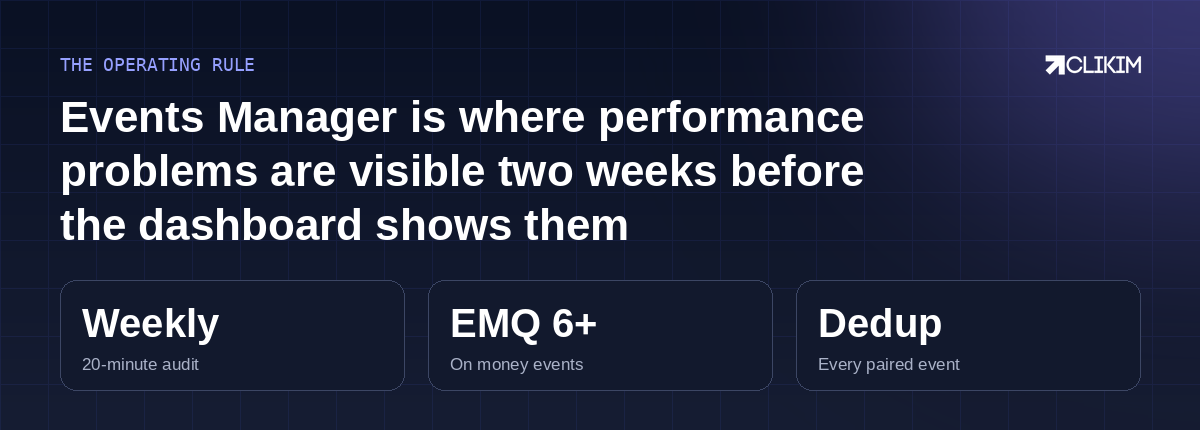
Twenty minutes a week in this tool buys weeks of early warning everywhere else.
event deduplication end to end — the event_id contract and the test that proves it. AEM and the dataset transition — what Meta quietly changed in mid-2025. comparing attribution settings — reading the same campaign under different windows.
Frequently asked questions
What is Facebook Events Manager used for?+
What is a good Event Match Quality score?+
How do I test if my pixel is firing correctly?+
Why are my events being counted twice?+
My event volume suddenly dropped — what happened?+
Do I still need the pixel if I have the Conversions API?+
What is Aggregated Event Measurement?+
How often should I check Events Manager?+
Does better signal actually lower my ad costs?+
What's the difference between a custom event and a custom conversion?+
Clean signal deserves an account that can spend
Pixel + CAPI engineered, EMQ raised — now give the machine budget headroom. Whitelisted infrastructure with no preset caps, under a BM2500.